
Troubleshooting
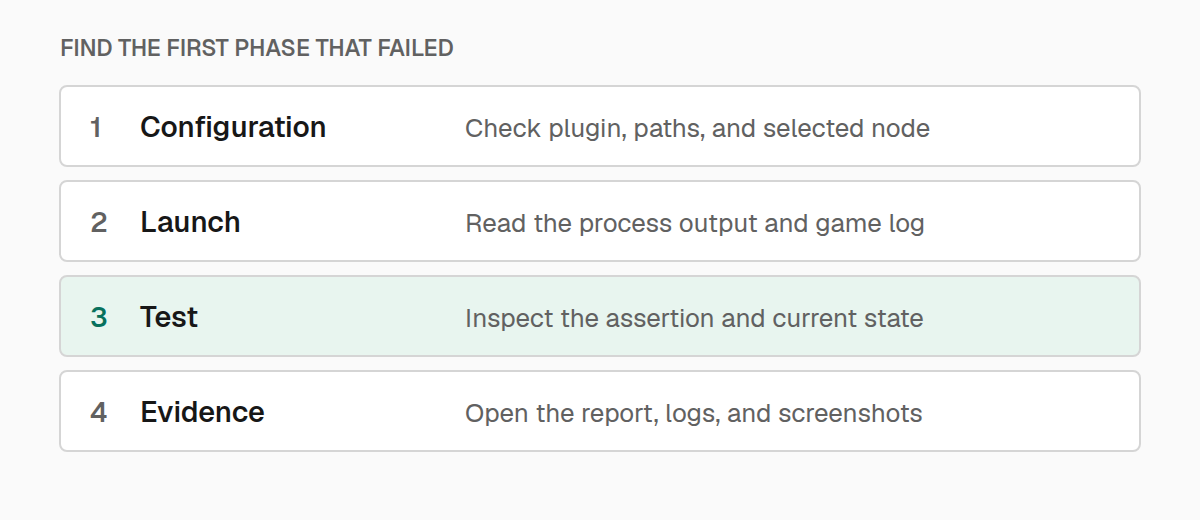
Find out whether a failure comes from setup, launch, readiness, or the test itself.
Start with the first failing phase. A TypeScript error, a Minecraft startup crash, and a failed gameplay assertion need different fixes.
The editor cannot find @teakit/test
Refresh TeaKit's editor files:
./gradlew teakitSyncSdk
./gradlew teakitTypecheck
Check that your editor uses the project's tsconfig.json and its generated paths. TeaKit supplies the declarations; installing an unrelated npm package with a similar name will not fix the project configuration.
No tests or nodes were selected
Run ./teakitw nodes and copy an exact node name. Keep test files under test/teakit with a .test.ts suffix, or select another directory with --test-dir.
An explicit --test-file changes discovery: TeaKit runs the selected file instead of also scanning the default directory. Check tag filters, target constraints, and any test.only left in the suite when an expected test is missing.
Use ./teakitw check --dry-run to inspect the planned selection. The target.mods constraint is checked after the game starts, so a test that requires a missing optional mod can still cause its node to launch before it is skipped.
Minecraft starts, but TeaKit never connects
Inspect the launch plan:
./teakitw explain --node YOUR_NODEConfirm that the game directory is the directory Minecraft is actually using and that the TeaKit mod is in the development runtime. A dependency added to a different Gradle project may never reach this client.
Read the run's run.log for the first loader error. A missing dependency or mixin failure can prevent TeaKit from starting even though a Minecraft window appeared.
Keep the TeaKit plugin, wrapper, and runtime dependencies aligned when upgrading. Rerun teakitInit to refresh a checked-in wrapper; changing only a Gradle plugin version does not rewrite an older wrapper already in the repository.
A capability check fails
Capabilities describe the operations the test needs. Use the exported Capability constants and check the saved capabilities.json when a run reports that one is unavailable.
First check that the intended TeaKit runtime loaded. Then check whether the test is addressing the right side of the game: a dedicated server cannot open a client screen. Do not remove a required capability just to bypass the check; the following operation still needs it.
The test runs before its world or player exists
Declare the readiness requirements for the test. A title-screen test does not need a player, while inventory and block-interaction tests do.
During a test, opening a world, connecting to a server, and opening a screen can take time. Wait for the state you need before using it. Increasing the startup timeout cannot repair a missing wait inside the test body.
A test only passes on its own
Look for state left by an earlier test: an open menu, selected inventory slot, held key, changed block, spawned entity, or altered game time. Make setup explicit and release held input in finally or cleanup hooks.
Give tests separate work areas or reset their bounded fixtures. Starting the next test does not automatically undo every change made to the world.
Use a function when polling: it should read fresh state on every attempt. Reusing a previously resolved promise keeps checking the same observation.
A background run fails before the game opens
Background mode needs Linux and an installed Xvfb executable. Confirm Xvfb is on PATH, or set TEAKIT_XVFB. Check graphics and native-library errors in run.log as you would for a normal development client.
Try the same focused test visibly to separate a display problem from a test problem. Keep the exact node and test selection while comparing the runs.
Find the useful evidence
The terminal prints the run directory under build/teakit. Start with summary.json for the result and run.log for launch output. Test attachments can add the screenshot, inventory, or event history needed to explain a failed assertion.
Add diagnostics to the test when the current output tells you that something failed but not why. Attach the smallest state that explains the failure, and avoid including credentials or private connection files in shared reports.