
Running GameTests
Run your existing Java GameTests from a TeaKit suite and keep their results with the rest of your tests.
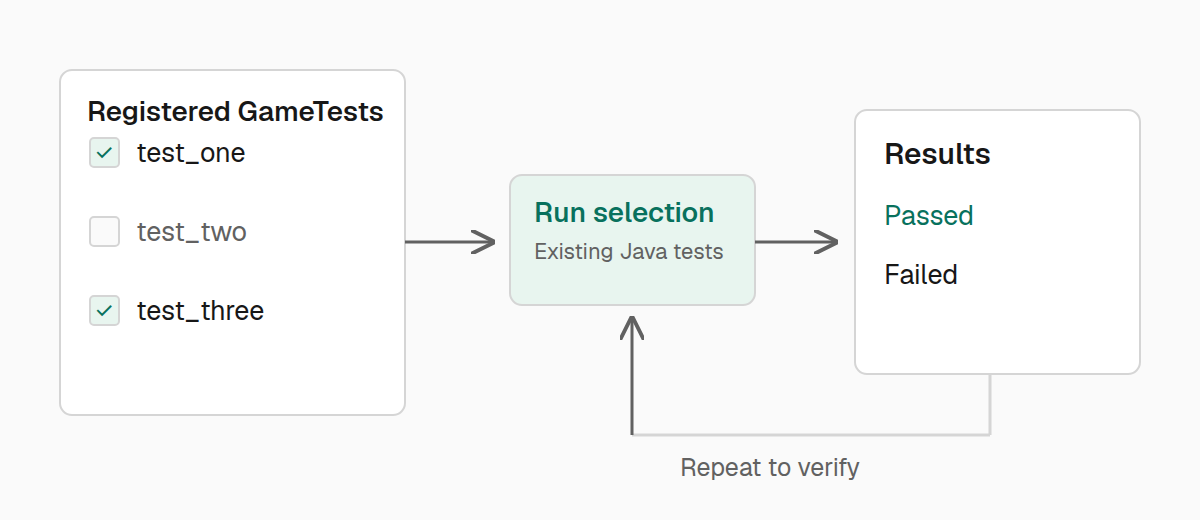
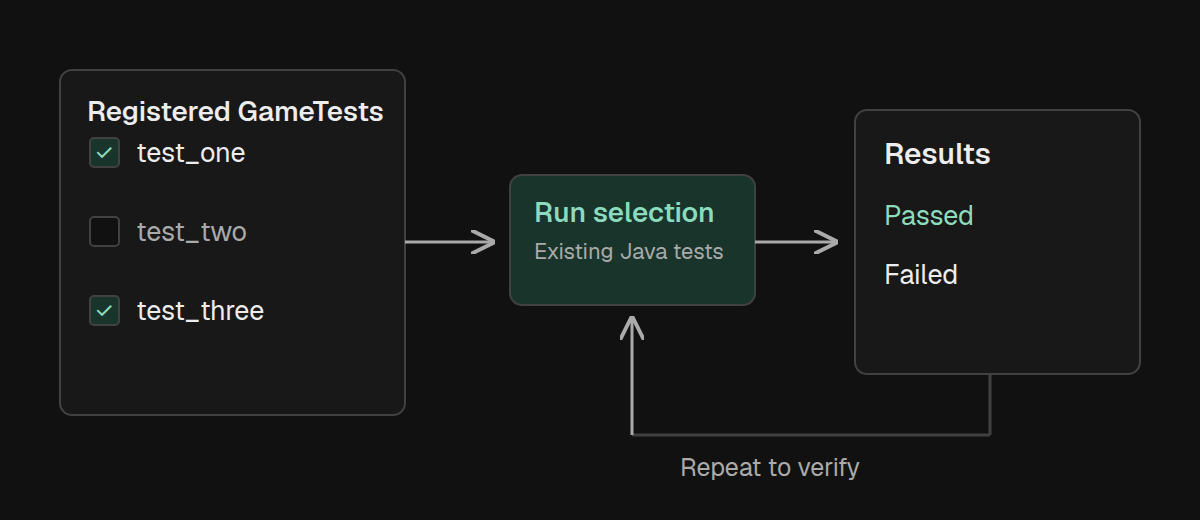
If your mod already has Java GameTests for block or entity behavior, you can run them from TeaKit. Keep those tests where they are and use gametest to select them, run them, and check their results alongside your TypeScript tests.
Your development run must register the GameTests you want to use. TeaKit discovers registered tests; it does not turn an arbitrary Java method into a GameTest. The examples below assume that your mod registers examplemod:hopper_moves_item.
Find your tests
Start by checking that the expected test is available. This makes a missing registration fail clearly instead of leaving you wondering why a suite ran no tests.
import { Readiness, describe, expect, test } from "@teakit/test";

describe.configure({ readiness: [Readiness.World, Readiness.Player] });

test("the hopper GameTest is registered", async ({ gametest, artifacts }) => {
  const tests = await gametest.list({ namespace: "examplemod" });
  await artifacts.attachJson("registered-gametests", tests);

  expect(tests.map((entry) => entry.id))
    .toContain("examplemod:hopper_moves_item");
});
The namespace limits discovery to your mod. You can also select a single ID, an array of IDs, or a pattern containing a regular expression. Use explicit IDs for a small regression test and a namespace when you intend to run your whole mod's suite.
Run a test and assert its result
Calling gametest.run() returns the result. Assert that it passed so a failed GameTest also fails the surrounding TeaKit test:
import { Readiness, describe, expect, test } from "@teakit/test";

describe.configure({ readiness: [Readiness.World, Readiness.Player] });

test("the hopper transfers its item", { timeout: "60s" }, async ({ gametest }) => {
  const result = await gametest.run("examplemod:hopper_moves_item", {
    timeoutMs: 30_000,
    artifactName: "hopper-gametest",
  });

  expect(result.ok).toBe(true);
  expect(result.failed).toEqual([]);
  expect(result.passed.map((entry) => entry.id))
    .toContain("examplemod:hopper_moves_item");
});
The result is attached to the report automatically. It includes each test's ID, outcome, attempt number, duration in ticks, and failure message when one is available.
ok means there were no required-test failures. Checking failed as well makes this example reject optional-test failures too. Checking the passed ID also proves that the intended test actually ran.
timeoutMs bounds the batch and its runtime call. The outer TeaKit test timeout also includes assertions and report attachment, so give it more time than the batch itself.
Repeat a test that sometimes fails
Use gametest.verify() when a behavior needs to survive repeated attempts. Set repeat explicitly so the intended amount of work is visible in the test:
import { Readiness, describe, expect, test } from "@teakit/test";

describe.configure({ readiness: [Readiness.World, Readiness.Player] });

test("the hopper transfers consistently", { timeout: "90s" }, async ({ gametest }) => {
  const result = await gametest.verify("examplemod:hopper_moves_item", {
    repeat: 3,
    haltOnFailure: false,
    timeoutMs: 60_000,
    artifactName: "hopper-repeated",
  });

  expect(result.failed).toEqual([]);
  expect(result.results.length).toBe(3);
  expect(result.passed.length).toBe(3);
});
The batch timeout covers all repetitions together. haltOnFailure: false gathers the remaining attempts after a failure, which helps reveal whether a problem is consistent or intermittent. In a normal regression run, leaving the default stop-on-required-failure behavior saves time.
Repeated success is useful evidence, but it does not replace a controlled fixture. If a test depends on state left by a previous attempt, fix that setup before increasing the repetition count.
Run the required suite
Once individual tests work, select your namespace with { namespace: "examplemod", requiredOnly: true }. Check that discovery returns at least one test, then pass that same selection to run() and assert result.ok.
Keep the GameTest selection close to the behavior being tested. A single TeaKit test that runs every available namespace makes failures harder to locate and can accidentally include tests from dependencies.
Continue with Running tests to run this file on a selected node, or Diagnosing failures to read its attached results.