
Players and interactions
Prepare a player, move through a fixture, and check the result of using items and blocks.
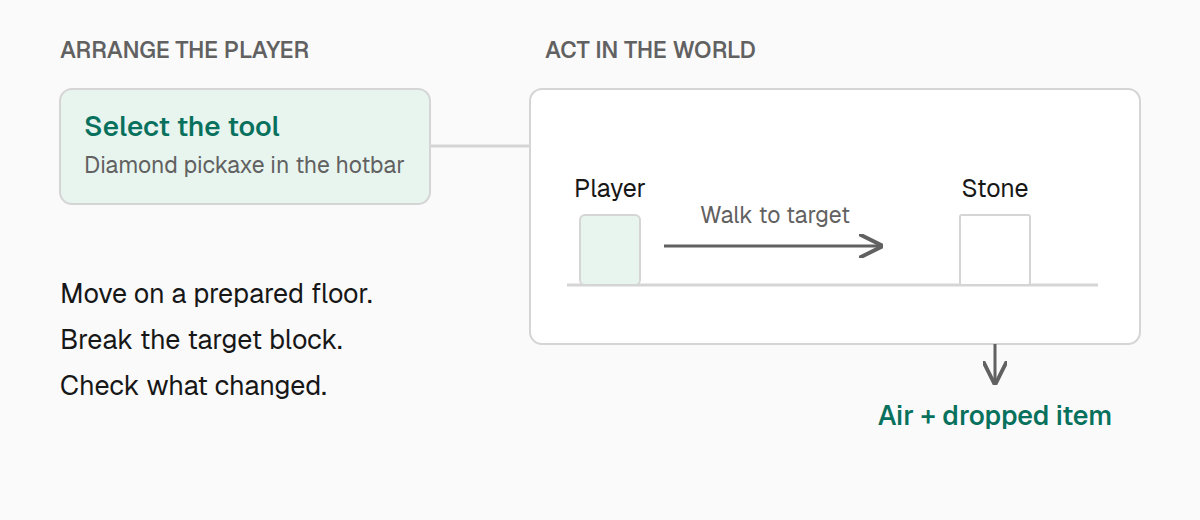
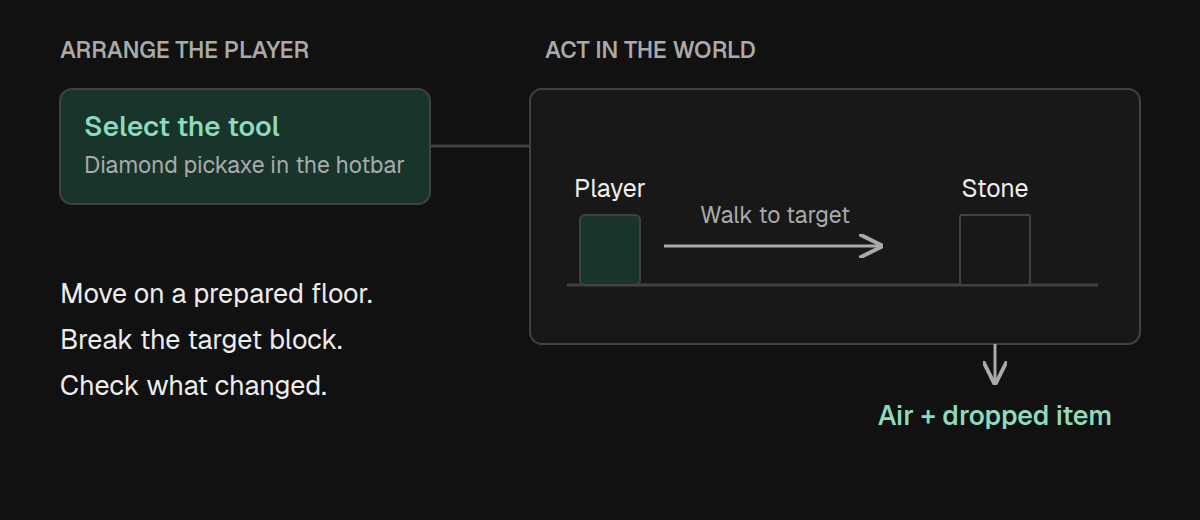
Use the player API when the behavior depends on what a player does: holding a tool, walking into an area, mining a block, or opening a menu. Prepare the surroundings directly with world, then perform the action you want to test through player.
These examples need a connected player in a world. Movement and client interactions also need a client session.
Start with the right inventory
Reset the state that matters to your test. reset only changes the fields you supply, so be explicit about inventory, effects, and game mode:
import { expect, test } from "@teakit/test";

test("starts with a pickaxe selected", async ({ player }) => {
  await player.reset({
    gameMode: "survival",
    health: 20,
    food: 20,
    saturation: 5,
    effects: "clear",
    inventory: "clear",
  });
  await player.give("minecraft:diamond_pickaxe");
  await player.inventory().selectHotbar(0);

  await expect(player.inventory()).toContainItem("minecraft:diamond_pickaxe", {
    selected: true,
  });
});
With an empty inventory, the first item goes into the first hotbar slot. Slots are zero-based. When your setup already has items, locate or assign the tool deliberately instead of assuming it is still in slot 0.
toContainItem accepts a minimum count across matching stacks and optional slot, selected-item, or equipment constraints. Use inventory().snapshot() and inspect items when you need an exact count or a particular arrangement of slots.
Walk to a block and mine it
Give the player a stable floor and a clear route. The destination for walkTo is the block where their feet should end up:
import { expect, pos, test } from "@teakit/test";

test("walks to a stone block and mines it", async ({ player, world }) => {
  const start = pos(0, 100, 0);
  const target = start.offset(5, 0, 0);
  await world.fill(start.offset(-1, -1, -1), start.offset(6, -1, 1), "minecraft:stone");
  await world.clear(start.offset(-1, 0, -1), start.offset(6, 3, 1));
  await world.setBlock(target, "minecraft:stone");
  await player.reset({ gameMode: "survival", inventory: "clear", effects: "clear" });
  await player.teleport({ x: 0.5, y: 100, z: 0.5 });
  await player.give("minecraft:diamond_pickaxe");

  const walk = await player.walkTo(start.offset(3, 0, 0), { timeout: "15s" });
  expect(walk.status).toBe("succeeded");

  const mining = await player.mine(target, { toolSlot: 0, timeout: "15s" });
  expect(mining.status).toBe("succeeded");
  expect(await world.block(target)).toHaveId("minecraft:air");
});
The final block assertion proves the result of mining. Merely reaching the block or starting to swing the tool would not.
toolSlot selects a hotbar slot for that mining operation. Choose a tool appropriate for the block and a game mode that exercises the behavior you care about. Creative mining does not test survival break time or normal drops.
Observe a movement task
Normally, awaiting walkTo or mine waits for completion. Set wait: false when you need to observe or interrupt an action while it is running:
import { expect, pos, test } from "@teakit/test";

test("can stop walking before reaching the end", async ({ player, world }) => {
  const start = pos(0, 100, 0);
  await world.fill(start.offset(-1, -1, -1), start.offset(24, -1, 1), "minecraft:stone");
  await world.clear(start.offset(-1, 0, -1), start.offset(24, 3, 1));
  await player.reset({ gameMode: "survival", effects: "clear" });
  await player.teleport({ x: 0.5, y: 100, z: 0.5 });

  const walk = player.walkTo(start.offset(24, 0, 0), { wait: false });
  await walk.started();
  const stopped = await walk.cancel();

  expect(stopped.status).toBe("cancelled");
});
A task handle also provides status() and wait({ timeout: "15s" }). Starting a new movement or mining task replaces the previous one; finish or cancel the current task before reusing the player. Do not keep polling an old handle after starting its replacement.
For routes with water, ladders, or gaps, build the terrain first and choose swimTo, climbTo, or sprintJumpTo as appropriate. Keep the same final-position or state assertion you would use for walking.
Place and use blocks
player.place equips the supplied block item and uses the top face of the block below the target. Provide that supporting block and start within interaction range:
import { expect, pos, test } from "@teakit/test";

test("places a crafting table and opens it", async ({ client, player, world }) => {
  const table = pos(2, 100, 0);
  await world.fill(pos(-1, 99, -1), pos(3, 99, 1), "minecraft:stone");
  await world.clear(pos(-1, 100, -1), pos(3, 103, 1));
  await player.reset({ gameMode: "survival", inventory: "clear" });
  await player.teleport({ x: 0.5, y: 100, z: 0.5 });

  try {
    await player.place("minecraft:crafting_table", table);
    expect(await world.block(table)).toHaveId("minecraft:crafting_table");

    await player.openBlock(table);
    await expect(async () => (await client.screen()).menu().slots().length > 0)
      .toEventuallyEqual(true, { timeout: "5s" });
  } finally {
    await client.closeMenus();
    await world.clear(table, table);
  }
});
For a lever, button, or other block that does not open a menu, use player.useBlock(position, { face: "up" }) and assert the resulting block state. useBlockServer performs the server-side interaction directly; use it only when that is the behavior you intend to test. It does not exercise client interaction callbacks.
For menu slots and buttons, continue with Screens and rendering.
Hold an item until its effect appears
Some items need a held use input instead of a single click. Equip the item, start holding use, and release it in finally so a failed assertion cannot leave it held:
import { expect, test } from "@teakit/test";

test("raises a shield while use is held", async ({ client, player }) => {
  await client.closeMenus();
  await player.reset({ gameMode: "survival", inventory: "clear" });
  await player.equip("minecraft:shield");

  try {
    await player.holdUse(true);
    await expect(async () => (await player.pose()).blocking)
      .toEventuallyEqual(true, { timeout: "5s" });
  } finally {
    await player.holdUse(false);
  }
});
pose() also reports position, rotation, health, and held-use state. For potion or status effects, use waitForEffect("minecraft:speed") with minDuration or minAmplifier when those values matter. Effect duration is in ticks, and amplifiers are zero-based.
Use entity handles when the interaction targets an animal or another entity. player.useItemOnEntity accepts that handle and an optional item to equip for the interaction.