
Testing content
Check recipes, registered content, entities, drops, and signs in a running game.
Start with the result a player should get. Does the recipe produce the right stack? Does mining the block leave the expected drop? Does an entity still exist after an interaction? TeaKit can inspect these results directly, so most content tests do not need to navigate a menu.
The examples use vanilla content so you can run them before substituting your own examplemod IDs.
Check a crafting recipe
Pass the grid dimensions, its items in row order, and the expected output. Four oak planks in a 2 × 2 grid should produce one crafting table:
import { test } from "@teakit/test";

test("four planks make a crafting table", async ({ recipes }) => {
  await recipes.assertCrafting(
    2,
    2,
    [
      "minecraft:oak_planks", "minecraft:oak_planks",
      "minecraft:oak_planks", "minecraft:oak_planks",
    ],
    "minecraft:crafting_table",
    { resultCount: 1 },
  );
});
The method fails if Minecraft cannot resolve that input to the expected item and count. Use minecraft:air for an empty cell when your recipe needs a gap. A connected player and loaded world are required, but you do not need an open crafting screen or items in the player's inventory.
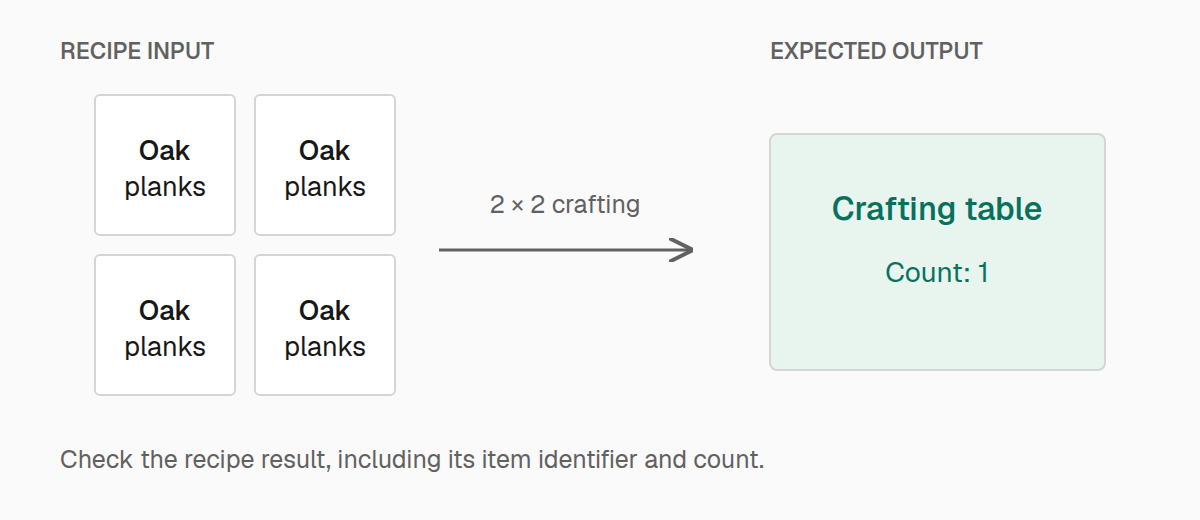
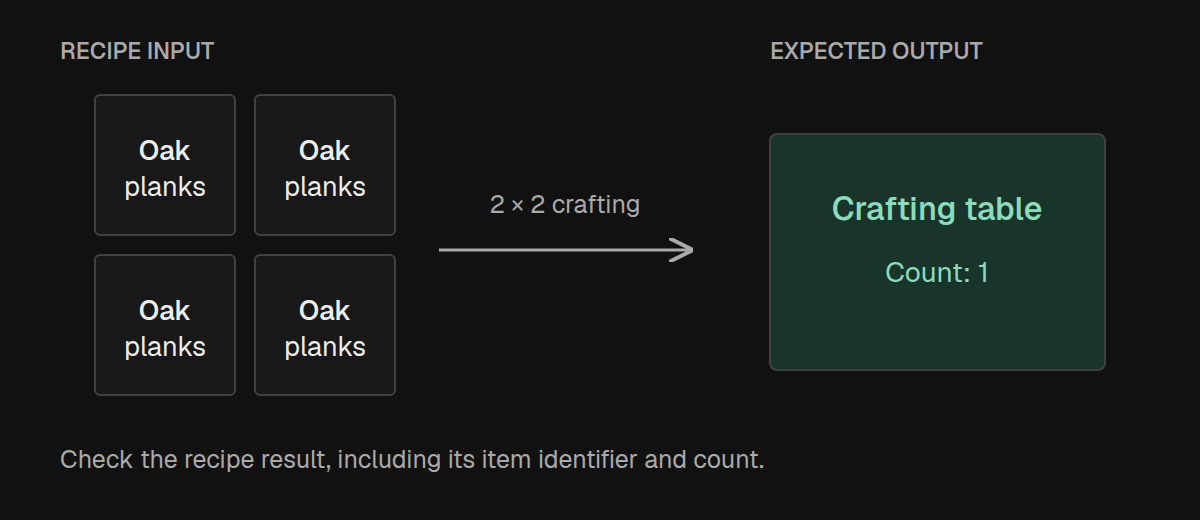
This checks the recipe itself. To test transferring ingredients, clicking the result slot, or your custom menu, use screen and menu interactions.
Do not use craftInOpenMenu as proof that a recipe works. It currently grants the requested item rather than consuming ingredients through the open menu.
Check cooking and smithing
Cooking assertions use the same input/output idea. Select the cooking method explicitly so a smelting recipe cannot accidentally stand in for a blasting recipe:
import { test } from "@teakit/test";

test("a furnace smelts raw iron", async ({ recipes }) => {
  await recipes.assertCooking(
    "smelting",
    "minecraft:raw_iron",
    "minecraft:iron_ingot",
    { resultCount: 1 },
  );
});
Other cooking types include blasting, smoking, and campfire_cooking. These assertions check recipe resolution, not fuel consumption or how long the machine takes. Test those behaviors with a placed block and its container contents.
For a smithing transform, supply the template and addition alongside the base item:
import { test } from "@teakit/test";

test("upgrades a diamond sword to netherite", async ({ recipes }) => {
  await recipes.assertSmithingTransform(
    "minecraft:diamond_sword",
    "minecraft:netherite_sword",
    {
      template: "minecraft:netherite_upgrade_smithing_template",
      addition: "minecraft:netherite_ingot",
      resultCount: 1,
    },
  );
});
Check that content is registered
You can ask TeaKit to look up the IDs that your test needs:
import { expect, test } from "@teakit/test";

test("the building materials are registered", async ({ registry }) => {
  expect(await registry.missing([
    "minecraft:stone",
    "minecraft:oak_planks",
    "minecraft:glass",
  ])).toEqual([]);
});
missing checks item, block, and entity-type lookups. An ID reported in any of those categories counts as found. Use registry.lookup(ids) when you need to distinguish those categories.
Treat this as a preliminary check: registries can supply a default entry for an unknown ID. For a block, place it and assert the exact ID returned by world.block; for an item, give it and inspect the inventory. Then test the recipe, model, or interaction that uses it.
Work with entities
Keep the handle returned by spawn. It identifies that particular entity even if another entity of the same type is nearby:
import { expect, pos, test } from "@teakit/test";

test("a spawned cow can be moved", async ({ entities, world }) => {
  const origin = pos(0, 100, 0);
  await world.fill(origin.offset(-3, -1, -3), origin.offset(3, -1, 3), "minecraft:stone");
  await world.clear(origin.offset(-3, 0, -3), origin.offset(3, 3, 3));
  const cow = await entities.spawn("minecraft:cow", origin.center());

  try {
    await expect(cow).toHaveType("minecraft:cow");
    await cow.moveTo(origin.offset(2, 0, 0).center());
    await expect(cow).toExist();
    expect((await cow.inspect()).position).toBeNear(origin.offset(2, 0, 0).center(), {
      distance: 1,
    });
  } finally {
    await cow.kill();
  }
});
inspect() reads its current state. moveTo changes its position, and kill removes it. If the behavior under test causes the entity to die, poll the handle with await expect(cow).toEventuallyBeDead({ timeout: "5s" }).
To find entities your mod created, build a bounded query with entities.query({ origin, radius: 8, type: "minecraft:cow" }). Await the query for one observation, or use waitForCount(1) to wait for exactly one match. waitForCountAtLeast(1) is appropriate when additional matches are acceptable. nearest() returns a handle or null; check it before interacting.
removeAll() removes every match in the query. Keep its radius and type narrow so cleanup cannot affect unrelated test content. For player-driven interactions such as feeding or shearing, pass the entity handle to player.useItemOnEntity and assert the resulting state or drops.
Inspect dropped items
Dropped items are entities in the world, so they can appear after the action completes. Query around the action's position and wait for the expected drop:
import { expect, pos, test } from "@teakit/test";

test("survival mining drops cobblestone", async ({ entities, loot, player, world }) => {
  const origin = pos(0, 100, 0);
  const block = origin.offset(2, 0, 0);
  await world.fill(origin.offset(-2, -1, -2), origin.offset(4, -1, 2), "minecraft:stone");
  await world.clear(origin.offset(-2, 0, -2), origin.offset(4, 3, 2));
  await entities.query({ origin: block, radius: 3, type: "minecraft:item" }).removeAll();
  await player.reset({ gameMode: "survival", inventory: "clear", effects: "clear" });
  await player.teleport({ x: 0.5, y: 100, z: 0.5 });
  await player.give("minecraft:diamond_pickaxe");
  await world.setBlock(block, "minecraft:stone");

  try {
    await player.mine(block, { toolSlot: 0, timeout: "15s" });
    const drops = await loot.near(block, {
      item: "minecraft:cobblestone",
      radius: 3,
    }).waitForCountAtLeast(1, { timeout: "5s" });
    expect(drops[0]?.itemId).toBe("minecraft:cobblestone");
  } finally {
    await entities.query({ origin: block, radius: 3, type: "minecraft:item" }).removeAll();
  }
});
Keep the player far enough away that they do not immediately pick up the drop. If pickup is the behavior you are testing, wait for the item in the inventory instead.
A loot query counts item entities, not the number of items inside their stacks. Inspect each result's count when the quantity matters. Nearby stacks can merge, so requiring two entities is different from requiring two items.
Put labels in a fixture
A sign can identify an area in screenshots or provide text for a rendering test:
import { expect, pos, test } from "@teakit/test";

test("labels the test area", async ({ signs, world }) => {
  const sign = pos(0, 100, 0);
  await world.setBlock(sign.below(), "minecraft:stone");
  const placed = await signs.place(sign, ["Recipe tests", "Crafting table"]);

  expect(placed.lines).toEqual(["Recipe tests", "Crafting table", "", ""]);
});
A sign has up to four lines; the returned list pads unused lines with empty strings. Use a client screenshot when you need to inspect its appearance. Keep labels short enough to read at the distance used by the screenshot.