
Diagnosing failures
Save the screen, game state, and useful context so a failed test tells you what happened.
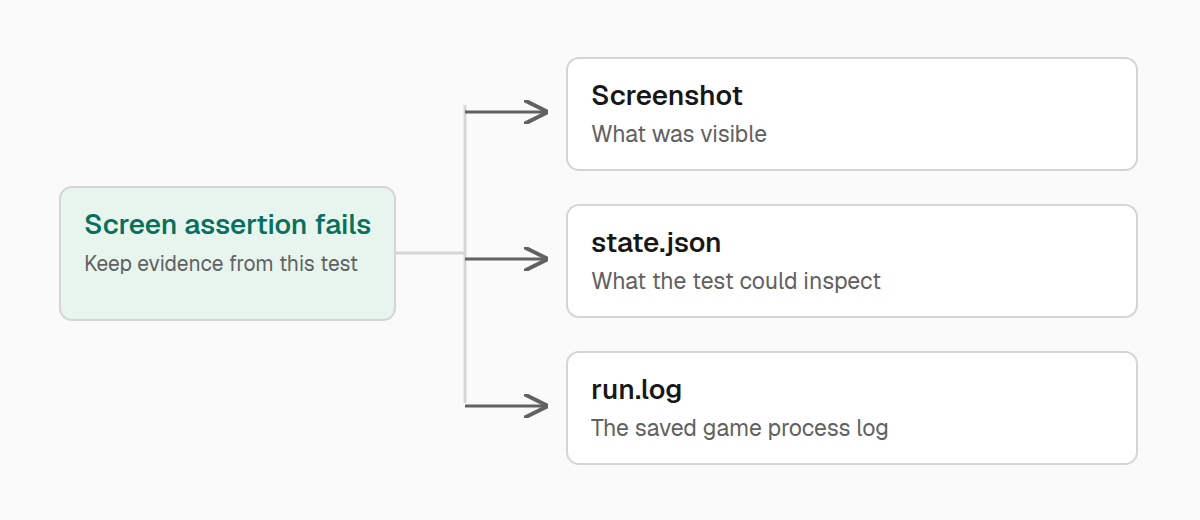
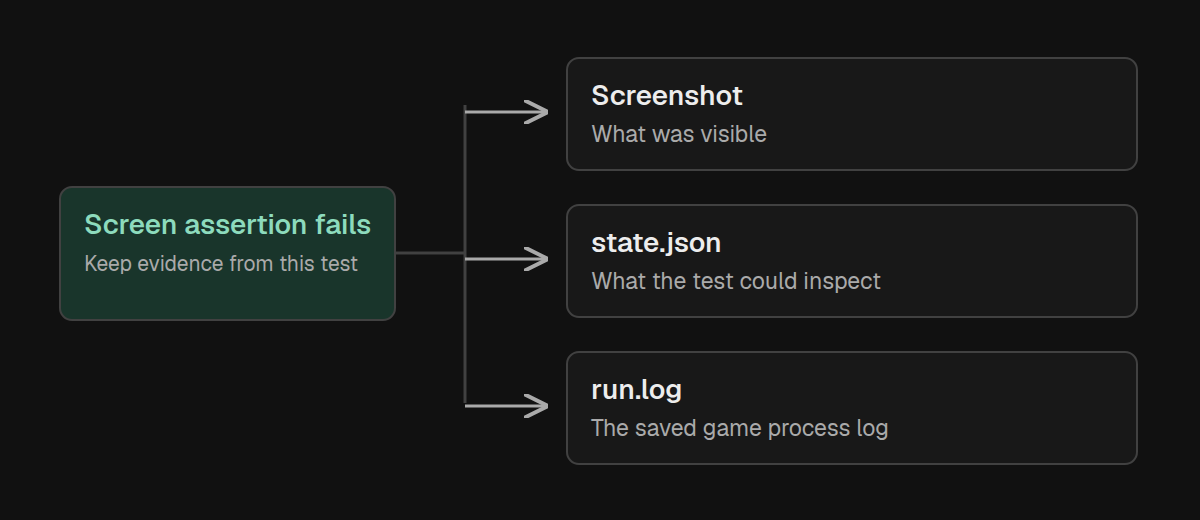
A useful failure tells you which behavior broke and shows the state at that moment. Start with a precise assertion, then attach the evidence you would otherwise have to reproduce by hand: an inventory, the current screen, or a screenshot.
Save the state before cleanup
Suppose your reward command should add a diamond. Attach the observed inventory and screen before rethrowing a failed assertion. Closing the screen first would lose the most useful evidence.
import { Readiness, describe, expect, test } from "@teakit/test";

describe.configure({ readiness: [Readiness.World, Readiness.Player] });

test("the reward appears in the inventory", async ({
  player, client, artifacts,
}) => {
  await player.reset({ gameMode: "survival", inventory: "clear" });

  try {
    await client.command("examplemod reward");
    await player.inventory().waitForItem("minecraft:diamond", {
      timeout: "5s",
    });
    await expect(player.inventory()).toContainItem("minecraft:diamond");
  } catch (error) {
    try {
      await artifacts.attachJson("inventory-at-failure", await player.inventory());
      const screen = await client.screen();
      await artifacts.attachJson("screen-at-failure", {
        id: screen.id,
        title: screen.title,
        widgets: screen.widgets().all(),
        slots: screen.menu().slots(),
      });
      await artifacts.attachScreenshot(await client.screenshot("reward-failure"));
    } catch {
      // Keep the original failure if the game can no longer supply diagnostics.
    }
    throw error;
  }
  await client.closeMenus();
});
Replace examplemod reward with the command or interaction you are testing. The inner catch matters when Minecraft has disconnected or crashed: a failed screenshot request should not replace the assertion that started the investigation.
attachJson() suits inventories and other structured values. Use attachText() for a short explanation or a relevant piece of text. attachScreenshot() adds the image returned by client.screenshot() to the test's attachments.
Name the steps that matter
If a test exercises a short sequence, use artifacts.step() to name its meaningful actions. The report records whether each step passed and how long it took.
import { Readiness, describe, expect, test } from "@teakit/test";

describe.configure({ readiness: [Readiness.World, Readiness.Player] });

test("the reward command grants a diamond", async ({
  player, client, artifacts,
}) => {
  await artifacts.step("Start with an empty inventory", async () => {
    await player.reset({ inventory: "clear" });
  });

  await artifacts.step("Request the reward from the client", async () => {
    await client.command("examplemod reward");
  });

  await artifacts.step("Wait for the diamond", async () => {
    await player.inventory().waitForItem("minecraft:diamond", {
      timeout: "5s",
    });
    await expect(player.inventory()).toContainItem("minecraft:diamond");
  });
});
A few steps make the report easier to read. Giving every getter its own step adds noise and makes the action you care about harder to find.
Find out whether your code ran
When the visible result is wrong, a method spy can help narrow the cause. Attach it before the action, check the game's result, and save the recorded calls. This example assumes the command calls your mod's com.examplemod.Rewards.grant method:
import { Capability, Readiness, describe, expect, test } from "@teakit/test";

describe.configure({ readiness: [Readiness.World, Readiness.Player] });

test("the reward command reaches the reward handler", {
  capabilities: [Capability.SpyCalls, Capability.SpyInstrumentation],
}, async ({ player, client, spy, artifacts }) => {
  await player.reset({ inventory: "clear" });
  const reward = await spy.method("grant-reward", "com.examplemod.Rewards#grant");

  try {
    await client.command("examplemod reward");
    await player.inventory().waitForItem("minecraft:diamond", {
      timeout: "5s",
    });
    await expect(reward).toHaveBeenCalled();
    await expect(player.inventory()).toContainItem("minecraft:diamond");
  } finally {
    try {
      await artifacts.attachJson("reward-calls", await reward.$calls());
    } finally {
      await reward.$detach();
    }
  }
});
Use the fully qualified class name and method name from your own mod. The method must exist in that runtime, and the JVM must allow TeaKit to attach the probe. A failure to attach is a setup problem, not proof that the method was never called.
A recorded call helps explain the path taken through your code. It does not prove that the right reward arrived, which is why the example also checks the inventory. Use a spy for a specific question, then detach it when finished.
Keep an operation's event record
TeaKit records an event when a world transaction finishes. You can attach that record with the transaction result to connect a setup operation to the state it produced:
import { Readiness, describe, expect, pos, test } from "@teakit/test";

describe.configure({ readiness: [Readiness.World, Readiness.Player] });

test("the display fixture is placed", async ({ world, expectEvent, artifacts }) => {
  const events = expectEvent.stream("world.transaction");
  await events.drain();
  const display = pos(0, 100, 0);

  const result = await world.transaction("display-fixture")
    .setBlock(display, "minecraft:diamond_block")
    .run();

  await artifacts.attachJson("fixture-result", result);
  await artifacts.attachJson("fixture-events", await events.drain());
  expect(result.ok).toBe(true);
  expect(await world.block(display)).toHaveId("minecraft:diamond_block");
});
drain() removes the records it returns. Draining before the action keeps an older transaction out of this test's evidence. The event describes the TeaKit transaction; the block assertion proves its visible result. Do not assume that every Minecraft or loader event appears in this stream.
Read the game log
For exceptions and loader messages, read the run's saved run.log and the game's logs/latest.log. Search near the time of the failed action, then read the surrounding lines for the first useful cause. The final timeout often describes only the consequence.
The SDK's logs.text() and logs.entries() do not currently collect the game's log, so use these files when investigating a failure. See Running tests for the report directory and Troubleshooting for startup failures.