
Items and creative tabs
Register a token item, give it a creative tab, and use it from common code.
Before Minecraft can give a player your item, it needs to know that the item exists. Registration connects a name such as example:token to the item object.
We'll create a simple token, then make it available in a creative tab.
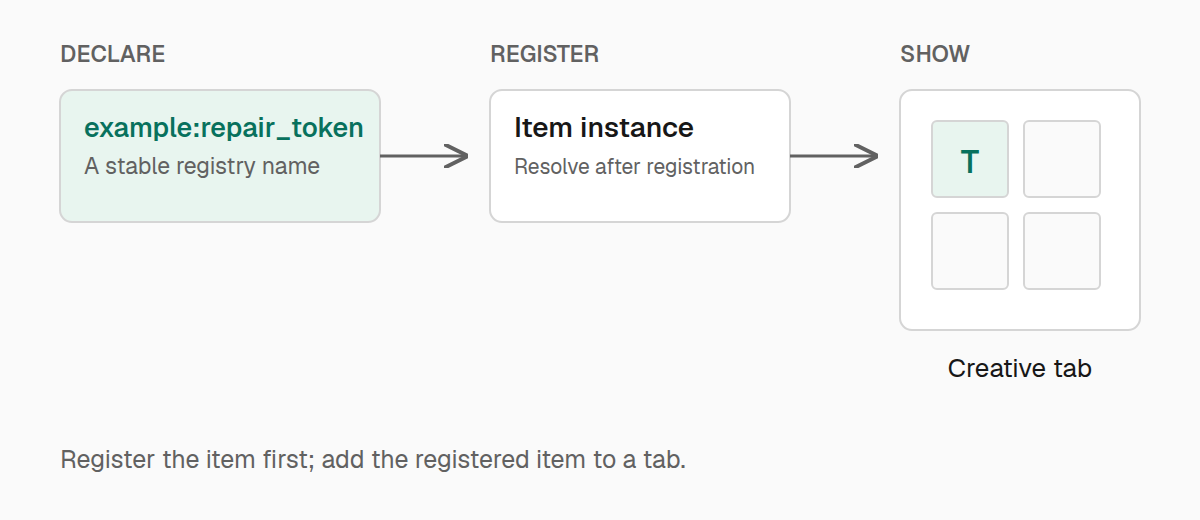
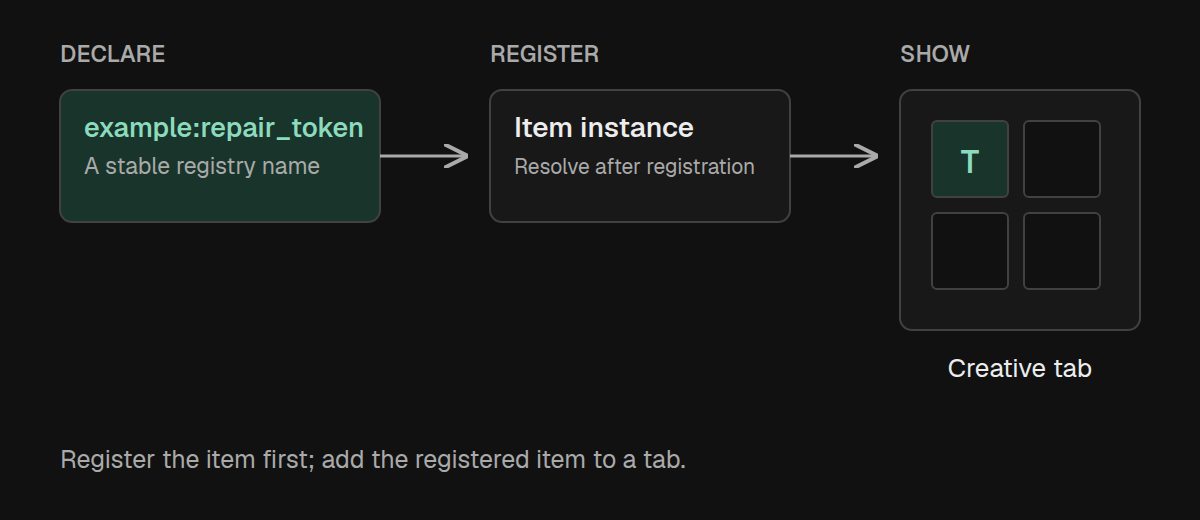
Declare the item
A DeferredRegister collects entries for one registry. Here, Registries.ITEM tells it we're registering items, and example supplies their namespace:
package example;

import com.iamkaf.amber.api.registry.v1.DeferredRegister;
import com.iamkaf.amber.api.registry.v1.RegistrySupplier;
import net.minecraft.core.registries.Registries;
import net.minecraft.world.item.Item;

public final class ExampleItems {
    public static final DeferredRegister<Item> ITEMS =
            DeferredRegister.create("example", Registries.ITEM);

    public static final RegistrySupplier<Item> TOKEN = ITEMS.register(
            "token", key -> new Item(new Item.Properties().setId(key))
    );

    private ExampleItems() {}

    public static void initialize() {
        ITEMS.register();
    }
}
The factory receives the token's resource key and sets it on the item's properties. Minecraft uses that identity when it creates the item.
TOKEN is a RegistrySupplier<Item>, rather than the item itself. Think of it as a handle to the item that will be registered. This lets you declare references before Minecraft is ready to construct the objects.
Call ExampleItems.initialize() from the common initializer. Call it once: the no-argument register() submits the collected entries, and repeating it is an error.
After registration, ExampleItems.TOKEN.get() returns the item. Avoid calling get() from another eager static initializer; use it when the game needs the item, or inside another registration factory.
Give the token a name and appearance
Registration creates the item object. Your resource files supply its translated name, model, and texture.
For the display name, add this entry to assets/example/lang/en_us.json:
{
  "item.example.token": "Token"
}
Add a client item definition and the model/texture it references under the same namespace. Without those resources, Minecraft can still register the item, but it will not have the appearance you intended. Recipes and tags can refer to it as example:token.
Create a tab for your items
Register your tab during common initialization too. Give it an explicit identifier, a translated title, an icon, and an entry:
import com.iamkaf.amber.api.registry.v1.creativetabs.CreativeModeTabRegistry;
import net.minecraft.network.chat.Component;
import net.minecraft.resources.Identifier;
import net.minecraft.world.item.ItemStack;

CreativeModeTabRegistry.register(
        CreativeModeTabRegistry.builder(
                Identifier.fromNamespaceAndPath("example", "main")
        )
                .title(Component.translatable("itemGroup.example.main"))
                .icon(() -> new ItemStack(ExampleItems.TOKEN.get()))
                .addItem(() -> ExampleItems.TOKEN.get())
);
Add itemGroup.example.main to your language file with a title such as Example Mod.
The lambdas matter. Minecraft asks for the icon and entries later, when the registered items are available. Passing TOKEN.get() eagerly would try to resolve the item during setup.
Add more entries with addItem, or pass several already available items to addItems. A tab's icon can also be any ItemLike, while the supplier form lets you return a customized ItemStack.
For placement, row and column select a position. alignedRight, showTitle, and canScroll adjust its layout. Leave those at their defaults unless your tab needs a different arrangement.
Use the returned RegistrySupplier<CreativeModeTab> if another part of your mod needs the registered tab. getTabBuilder(id) and isTabRegistered(id) let you find a tab you've already declared.
Add an item to an existing tab
You don't need a custom tab for one item. CreativeTabHelper can add it to a vanilla tab instead:
import com.iamkaf.amber.api.registry.v1.creativetabs.CreativeTabHelper;
import net.minecraft.core.registries.Registries;
import net.minecraft.resources.Identifier;
import net.minecraft.resources.ResourceKey;

CreativeTabHelper.addItem(
        ResourceKey.create(Registries.CREATIVE_MODE_TAB,
                Identifier.withDefaultNamespace("ingredients")),
        () -> ExampleItems.TOKEN.get()
);
Here the tab key identifies minecraft:ingredients, and the supplier provides the token when that tab's contents are built. Register this addition once during setup.
Use addItems for several entries, or addItemsToTab when you already have the tab's Identifier. These helpers also work with another mod's tab. For conditional entries or control over the search tab, use the creative-tab event.
Use a registered value
Most code needs only get(). When a value may legitimately be unavailable, use isPresent, toOptional, or ifPresent to make that choice explicit. getOrNull, orElse, and orElseGet offer the usual fallback forms; stream is useful when combining optional entries.
These checks describe the value's availability now. They do not wait for registration or subscribe to a later callback. When one registration depends on another, keep the dependency inside its factory.
An entry's getId() returns its identifier, such as example:token; getKey() returns its typed resource key. getRegistryId() and getRegistryKey() identify the registry containing it. You can iterate the DeferredRegister to work with all of its declared entries.
Register other kinds of content
The same pattern works for other static registries: create a DeferredRegister using the appropriate registry key, declare factories, and call register() during initialization. Your factory can accept the entry key or be a plain supplier when it already has everything it needs.
String entry names use the register's mod namespace. A full Identifier is also accepted; keep its namespace consistent with the register. Register content before gameplay starts, while Minecraft is still accepting entries.
If you need direct access to a registry, RegistrarManager.get(modId).get(registryKey) supplies a Registrar. Its register method adds an entry, get(id) looks up an existing holder, and key() identifies the registry. For ordinary declarations, the deferred pattern above keeps the timing clear.