
Amber
Build Minecraft mods with shared code for Fabric, Forge, and NeoForge.
Minecraft development
Amber is a library for Minecraft mods. It lets you register an item, react to a player joining, send a packet, or draw a message in the world using the same code on Fabric, Forge, and NeoForge.
These guides walk through those tasks with examples you can use in your own mod. Start with setup, then add an item and a creative tab.
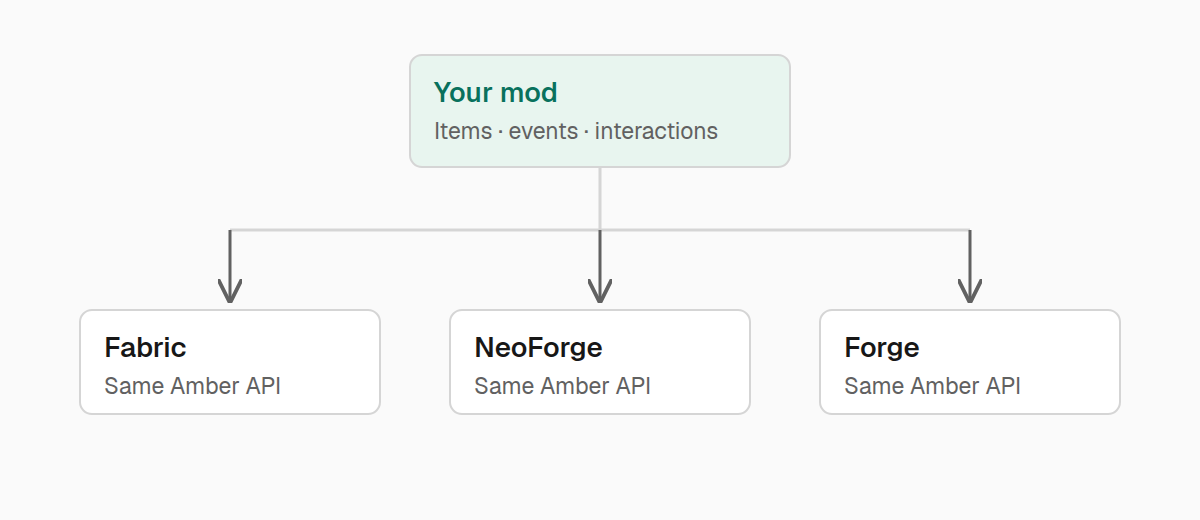
Build a feature
Most features start with something happening in the game. Use events to respond to it, then gameplay helpers to work with items, players, and the world. The recipes put these pieces together into small features.
When a feature needs to cross between server and client, networking carries the data. For something the player should see, use HUD text and tooltips or place a billboard in the world.
Platform helpers tell you about the running game and installed mods. Doctor lets your mod explain its current state when a player needs help.
Installing Amber
If another mod asks you to install Amber, download it from Modrinth or CurseForge. Choose the file for your instance and put it in the mods folder. Install the file's listed dependencies too.
Follow the mod's instructions about installing Amber on the client, the server, or both. You do not need to configure Amber before using it.