
Networking
Send messages and requests between your mod's client and server.
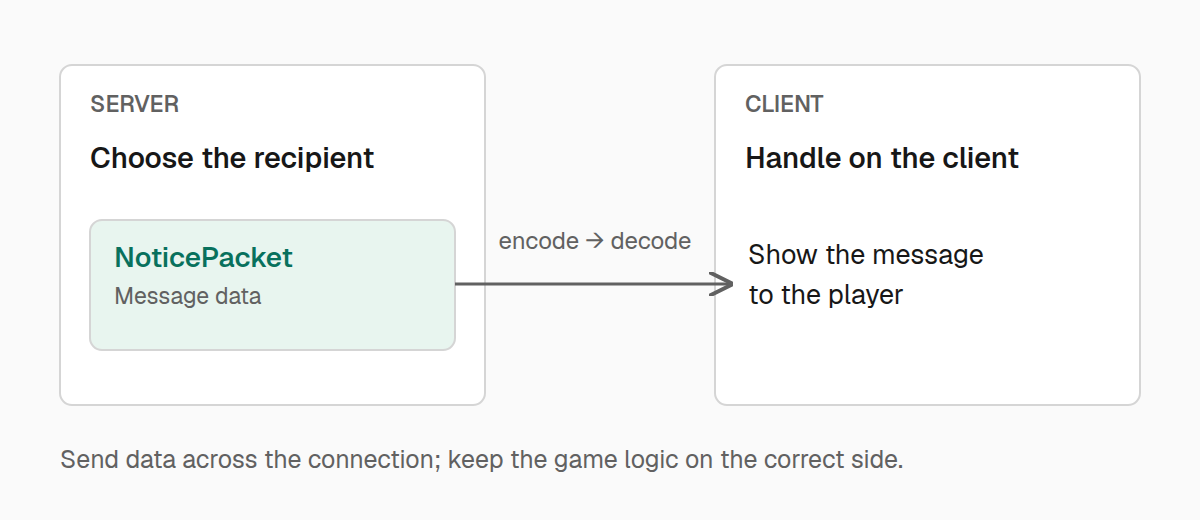
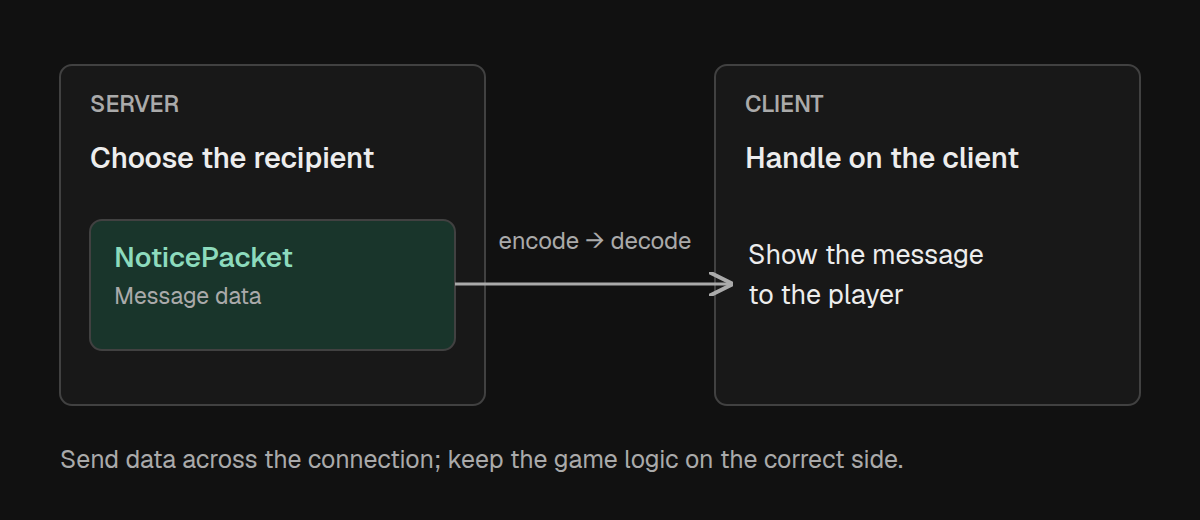
Suppose your mod saves a player's settings on the server and needs to show a message on their client. A packet carries that message across the connection. A channel tells Amber how to write the packet, read it, and handle it when it arrives.
Send a notice to a player
Start with the data you want to send. Here, the packet carries one string:
import com.iamkaf.amber.api.networking.v1.Packet;
import com.iamkaf.amber.api.networking.v1.PacketContext;
import net.minecraft.network.FriendlyByteBuf;
import net.minecraft.network.chat.Component;

public record NoticePacket(String message) implements Packet<NoticePacket> {
    private static final int MAX_LENGTH = 256;

    public void encode(FriendlyByteBuf buffer) {
        buffer.writeUtf(message, MAX_LENGTH);
    }

    public static NoticePacket decode(FriendlyByteBuf buffer) {
        return new NoticePacket(buffer.readUtf(MAX_LENGTH));
    }

    public void handle(PacketContext context) {
        if (!context.isClientSide()) {
            return;
        }
        context.execute(() -> {
            var player = context.getPlayer();
            if (player != null) {
                player.sendSystemMessage(Component.literal(message));
            }
        });
    }
}
encode writes the message into the outgoing buffer. decode reads it back on the other side. They use the same length limit so the packet has a bounded size. For a packet with several fields, read them in the same order and format you wrote them.
handle is where the message becomes visible. This notice is intended for the client, so the handler checks isClientSide() first. Amber registers packets in both directions; each handler decides which direction makes sense for its action.
Use context.execute(...) when working with game state. It routes the work through the receiving side's game executor. On the client, getPlayer() gives you the local player, when one is available. Keep decoding focused on reading data, and leave world or player changes to the handler.
Next, create a channel and register the packet:
import com.iamkaf.amber.api.networking.v1.NetworkChannel;
import net.minecraft.resources.Identifier;

public final class ModNetworking {
    public static final NetworkChannel CHANNEL = NetworkChannel.createOptional(
        Identifier.fromNamespaceAndPath("example", "notices_v1")
    );

    public static void init() {
        CHANNEL.register(
            NoticePacket.class,
            NoticePacket::encode,
            NoticePacket::decode,
            NoticePacket::handle
        );
    }
}
Call ModNetworking.init() once during common initialization, on both client and server. The registration connects the packet class to its encoder, decoder, and handler. Those methods can live on the packet, as above, or in separate classes if that fits your mod better.
With registration in place, send the notice from server code that has a ServerPlayer named player:
ModNetworking.CHANNEL.sendToPlayer(
    new NoticePacket("Your settings have been saved."),
    player
);
Only the selected player's client handles this packet. Keep the common packet and registration classes safe to load on a dedicated server; put any client-only rendering code behind your client entrypoint.
Let players connect without the feature
The example uses createOptional because a notice is an extra feature. Players whose clients do not support the channel can still connect, and Amber skips sending them its packets. Skipped packets are discarded, so send again if the feature becomes available later.
You can check a player's support before doing extra work on the server:
import com.iamkaf.amber.api.networking.v1.PeerAvailability;

if (ModNetworking.CHANNEL.playerAvailability(player) == PeerAvailability.SUPPORTED) {
    ModNetworking.CHANNEL.sendToPlayer(new NoticePacket("Welcome back!"), player);
}
On the client, use serverAvailability() to check the connected server. Both queries describe the current connection and do not send discovery packets. Query again after reconnecting instead of saving the result across sessions.
PENDING means support is not yet known; it does not mean the peer lacks your mod. ABSENT means support was not found. Send optional traffic once support is SUPPORTED. The enum also contains INCOMPATIBLE, but availability is a channel-presence check, not a comparison of your packet formats.
For a channel used by both sides as a normal part of your mod, use NetworkChannel.create(id). It sends without optional-peer filtering. Choose the factory when defining the channel: creating the same identifier again reuses the channel, and changing its optionality throws an exception.
Request something from the server
A client sends a request with sendToServer. The server should decide what happens and which player is acting. Take the player from the packet context, rather than trusting a player ID supplied in the packet.
For a small example, let the client request a notice confirming that it is connected:
import com.iamkaf.amber.api.networking.v1.Packet;
import com.iamkaf.amber.api.networking.v1.PacketContext;
import net.minecraft.network.FriendlyByteBuf;

public record RequestNoticePacket() implements Packet<RequestNoticePacket> {
    public void encode(FriendlyByteBuf buffer) {
    }

    public static RequestNoticePacket decode(FriendlyByteBuf buffer) {
        return new RequestNoticePacket();
    }

    public void handle(PacketContext context) {
        if (!context.isServerSide()) {
            return;
        }
        var player = context.getServerPlayer();
        if (player == null) {
            return;
        }
        context.execute(() -> ModNetworking.CHANNEL.sendToPlayer(
            new NoticePacket("You are connected."),
            player
        ));
    }
}
This request carries no fields, so its encoder and decoder have no data to write or read. Add its registration to ModNetworking.init(), after the notice registration:
CHANNEL.register(
    RequestNoticePacket.class,
    RequestNoticePacket::encode,
    RequestNoticePacket::decode,
    RequestNoticePacket::handle
);
Then send it from a client action, such as pressing a button:
ModNetworking.CHANNEL.sendToServer(new RequestNoticePacket());For requests that change the world, validate the action on the server: check permissions, distances, current state, and the values supplied by the client. Bound variable-length data when decoding and limit repeated requests where needed. A client request should never be enough on its own to grant an item or change another player's state.
Reach more players
To announce something to everyone, call sendToAllPlayers from the server:
ModNetworking.CHANNEL.sendToAllPlayers(new NoticePacket("The event is starting."));Use sendToAllPlayersExcept(packet, player) when the initiating player already has the information. For a smaller audience, such as nearby players or members of a team, choose the recipients in your mod and call sendToPlayer for each one. Optional channels check support separately for every recipient.
Send while the relevant connection or server is active. Sending returns no receipt: if your feature needs confirmation, define a response packet, as in the request example above.
Keep your packets compatible
The v1 in example:notices_v1 names the wire format you chose. Keep that revision's packet class names, registration order, and encoded fields stable on both sides. Register each packet once, and give packet classes distinct simple names within the channel, even if they live in different Java packages.
When a change makes old packets unreadable, use a new channel identifier, such as example:notices_v2. Optional support checks cannot detect a changed field layout under an existing identifier. If peers need to negotiate extra features, exchange that information in your own packets after the channel is supported.
You can retrieve a channel's identifier with getChannelId() when logging or diagnosing which channel a feature uses. Keep packets small and bounded; splitting large transfers, tracking replies, and retrying requests are decisions for your feature.