
Set up your mod
Add Amber and give your common and client code a place to start.
Amber fits into an existing mod project. Your loader still starts the mod; Amber supplies the shared APIs you call from there.
We'll use example as the mod ID throughout these guides. Replace it with your own mod ID, including in resource names and translation keys.
Add Amber
Add Kaf Maven to your Gradle repositories:
repositories {
    maven("https://maven.kaf.sh")
}
Choose an Amber release for your project from the published files, then store that release number in an amberVersion Gradle property. In a shared module, compile against the common API:
val amberVersion: String by project

dependencies {
    compileOnly("com.iamkaf.amber:amber-common:$amberVersion")
}
Your loader module also needs the matching runtime artifact: amber-fabric, amber-forge, or amber-neoforge, under the same com.iamkaf.amber group. Add it using your build plugin's mod dependency configuration. For example, a Fabric project using unobfuscated Loom can use:
val amberVersion: String by project

dependencies {
    implementation("com.iamkaf.amber:amber-fabric:$amberVersion")
}
Declare amber as a required dependency in your loader's mod metadata. The Gradle dependency makes the code available while developing; the metadata declaration tells the loader that Amber must be installed when someone runs your mod.
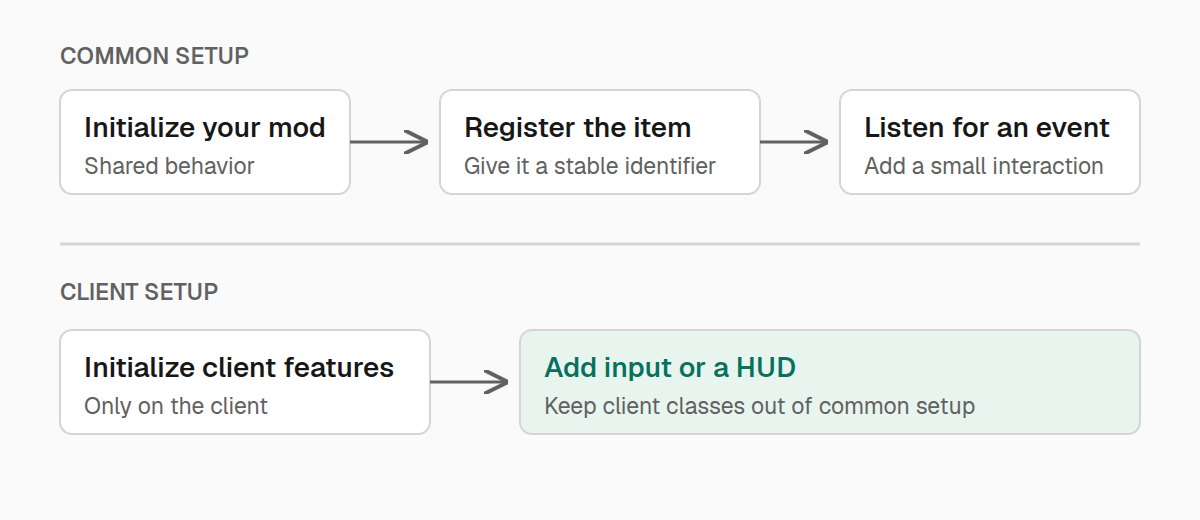
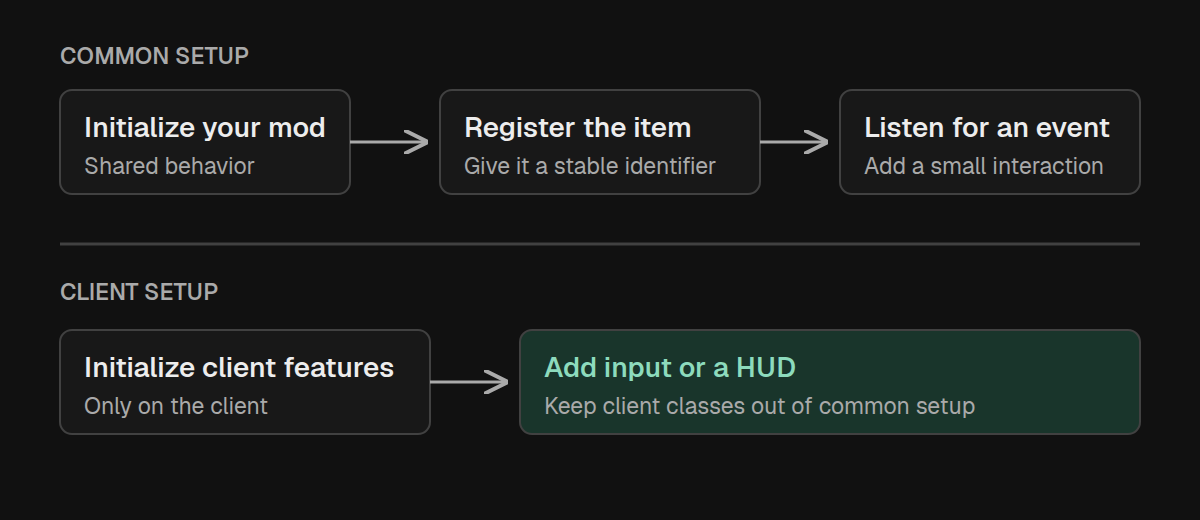
Create a common initializer
Give your shared setup one entry point. AmberInitializer.initialize reads your mod's name and version from the loader and returns an AmberModInfo you can use elsewhere:
package example;

import com.iamkaf.amber.api.core.v2.AmberInitializer;
import com.iamkaf.amber.api.core.v2.AmberModInfo;

public final class ExampleMod {
    public static final String MOD_ID = "example";
    public static AmberModInfo MOD_INFO;

    private ExampleMod() {}

    public static void initialize() {
        MOD_INFO = AmberInitializer.initialize(MOD_ID);
    }
}
Call ExampleMod.initialize() once from your loader's common entrypoint. On Fabric, that is your ModInitializer; on Forge and NeoForge, it is your mod constructor.
As you add features, call their setup methods here too. For example, the item guide creates an ExampleItems.initialize() method. Calling it after Amber initialization registers the items declared by that class.
Initialization happens once per game launch. A player joining or a world loading is a separate event, handled by listeners.
Give client code its own home
A HUD or keybinding needs Minecraft's client classes. Put those features in a separate class and call it from your loader's client initialization hook:
package example;

public final class ExampleClient {
    private ExampleClient() {}

    public static void initialize() {
        // Register your HUD, keybindings, and other client features here.
    }
}
Keep item registration, server gameplay, and other common features in common setup. Keeping client classes out of those paths allows the same mod to load on a dedicated server.
You're ready to register your first item.