
Build a repair station
Combine an interaction event, an inventory payment, and a floating repair message.
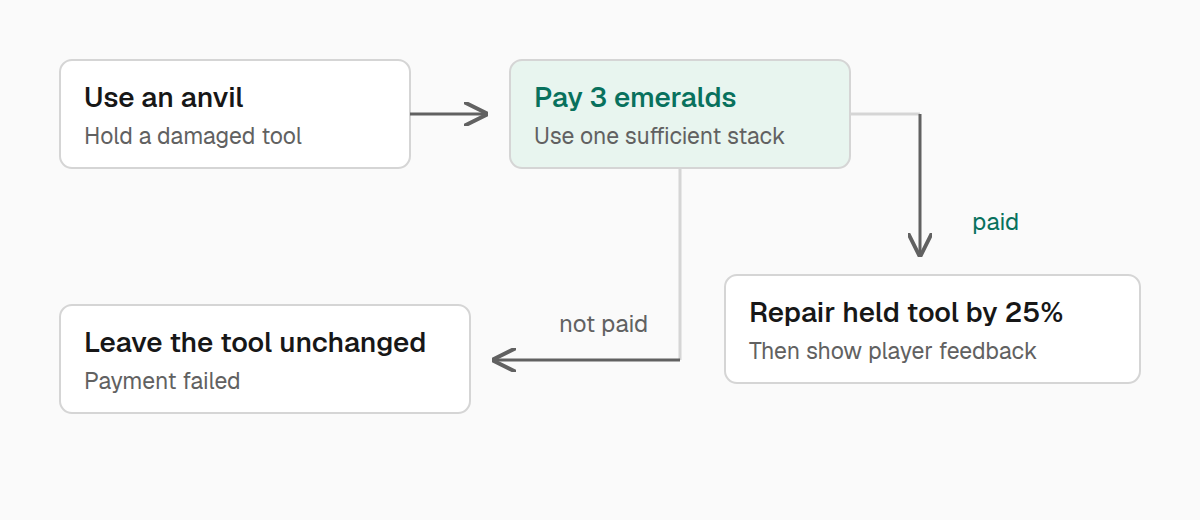
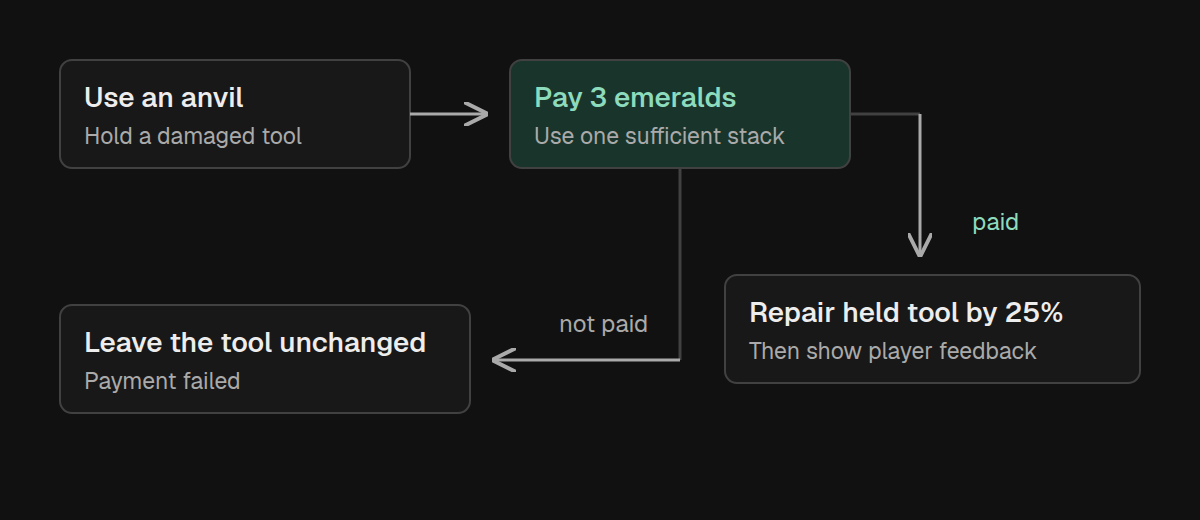
Let's build a small feature: right-click an intact anvil with a damaged tool, pay three emeralds, and repair a quarter of the tool's maximum durability. A short floating message tells the player it worked.
This brings together events, inventory helpers, and billboards. The repair itself belongs on the server; the feedback is shown only to the player who used the station.
Decide when the feature applies
A block interaction also happens when someone opens a chest or uses a different item. Return PASS for those cases so normal gameplay can continue.
For this feature, handle only a main-hand interaction with an intact anvil while holding a damaged item. The client can acknowledge that interaction immediately, while the server checks payment and performs the repair.
Register the interaction
Call RepairStation.initialize() once from common initialization:
package example;

import com.iamkaf.amber.api.billboard.v1.Billboard;
import com.iamkaf.amber.api.billboard.v1.Billboards;
import com.iamkaf.amber.api.event.v1.events.common.BlockEvents;
import com.iamkaf.amber.api.functions.v1.ItemFunctions;
import com.iamkaf.amber.api.functions.v1.PlayerFunctions;
import net.minecraft.network.chat.Component;
import net.minecraft.server.level.ServerPlayer;
import net.minecraft.world.InteractionHand;
import net.minecraft.world.InteractionResult;
import net.minecraft.world.item.Items;
import net.minecraft.world.level.block.Blocks;
import net.minecraft.world.phys.Vec3;

public final class RepairStation {
    private RepairStation() {}

    public static void initialize() {
        BlockEvents.BLOCK_INTERACT.register((player, level, hand, hit) -> {
            if (hand != InteractionHand.MAIN_HAND
                    || !level.getBlockState(hit.getBlockPos()).is(Blocks.ANVIL)) {
                return InteractionResult.PASS;
            }

            var tool = player.getMainHandItem();
            if (!tool.isDamaged()) {
                return InteractionResult.PASS;
            }

            if (!(player instanceof ServerPlayer serverPlayer)) {
                return InteractionResult.SUCCESS;
            }

            if (!ItemFunctions.consumeIfAvailable(player.getInventory(), Items.EMERALD, 3)) {
                PlayerFunctions.sendActionBar(player,
                        Component.literal("You need a stack of 3 emeralds."));
                return InteractionResult.FAIL;
            }

            ItemFunctions.repairBy(tool, 0.25F);

            var position = Vec3.atCenterOf(hit.getBlockPos()).add(0, 1, 0);
            var notice = Billboard.text(position, Component.literal("Repaired"), 0.02F)
                    .forTicks(30)
                    .translateBy(0, 0.5, 0)
                    .fadeOut();
            Billboards.show(serverPlayer, notice);
            return InteractionResult.SUCCESS;
        });
    }
}
This example deliberately handles any damaged item, including armor held in the main hand. Add ItemFunctions.isTool(tool) to the applicability check if your station should accept only tools.
Follow the payment
consumeIfAvailable combines the check and consumption. If it returns false, no emeralds were removed and the repair stops. If it returns true, the payment was taken and the next line repairs the item.
The helper requires the full amount in one stack. Two emeralds in one slot and one in another do not pay for this repair. The message says “a stack of 3 emeralds” to make that rule visible to the player.
repairBy(tool, 0.25F) restores 25% of maximum durability, up to a fully repaired item. It does not mean “leave the tool at 25%,” and it does not create a replacement stack.
Keep feedback separate from the repair
Billboards.show takes the server player as its viewer and sends the visual to that player's client. The server still owns the inventory change. No packet handler on the client needs to decide whether the repair was allowed.
The notice is centered above the clicked anvil, rises half a block, and fades across its short lifetime. Because its lifetime is bounded, the feature doesn't need to remember an ID or hide it later.
For feedback without an in-world visual, replace the billboard with PlayerFunctions.sendActionBar. For a permanent label above the station, create a persistent billboard with a stable identity and remove it when the station goes away.
Try the whole interaction
Check the feature with a damaged item and a stack of three emeralds, then repeat with too few emeralds and with an undamaged item. Only the first case should charge and repair. Other blocks should keep their normal behavior.
In multiplayer, have two players use the station independently. Each payment should come from the acting player's inventory, and each notice should appear only for that player. Replace the literal messages with translation keys when adding this feature to your own mod.