
Troubleshooting
Diagnose synchronization, startup, Java, and process-management problems.
Start with the symptom you can see. The server log usually explains a startup failure; pack settings explain files that keep changing.
A removed jar comes back
pastel run refreshes the pack by default. Set this while testing local changes:
sync_on_run = falseRun pastel refresh when you want Pastel to restore the declared pack state.
For a single refresh that preserves extra jars under mods/, pass -no-prune.
That flag does not protect a file that the pack or its overrides directly replaces.
The server exits during startup
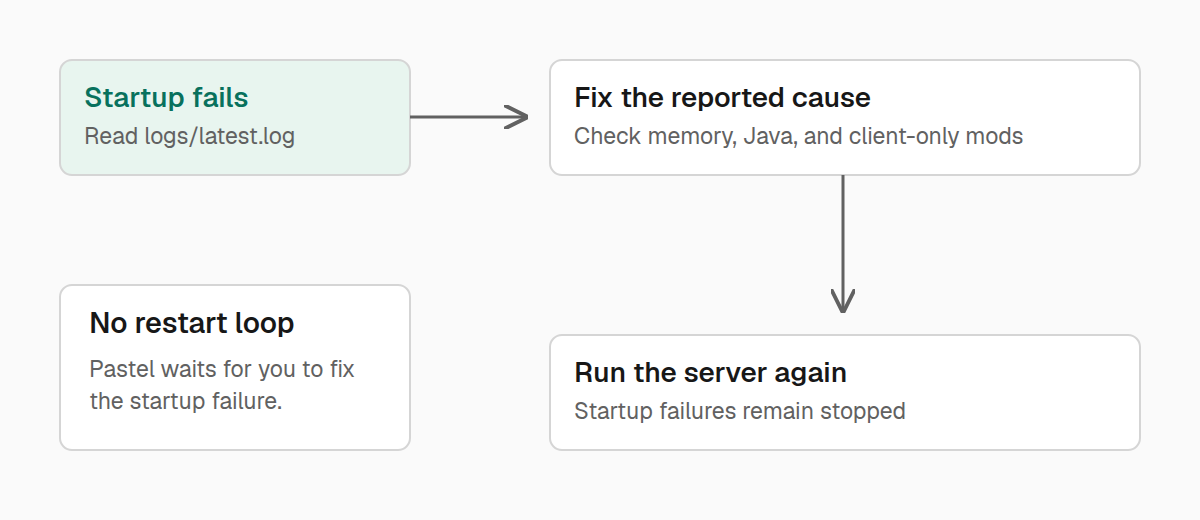
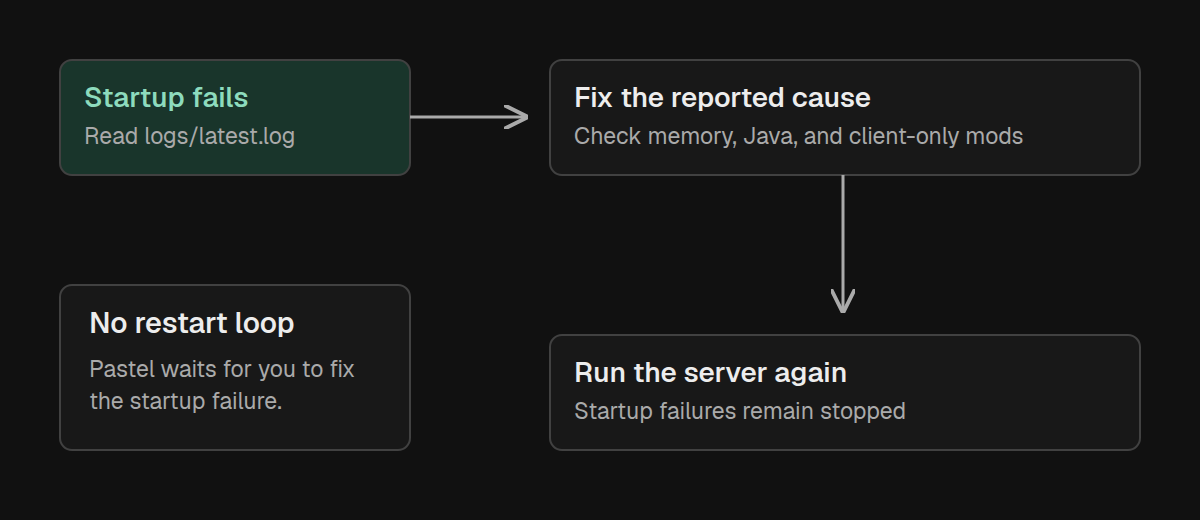
Read logs/latest.log. Pastel also summarizes common memory failures and mods
installed on the wrong side.
Startup failures remain stopped instead of entering an automatic restart loop. Correct the pack or configuration, then run the server again.
Java is missing or too old
Pastel normally installs a suitable Temurin JRE under .pastel/jre/ when the
system Java cannot run the selected Minecraft version. Check network access and
available disk space if that installation fails.
To prefer an existing runtime, set its absolute executable path:
java = "/path/to/java"If that executable cannot run the pack, Pastel falls back to managed Java. Forge and NeoForge installer runs select Java separately from this setting.
A Maven coordinate does not resolve
Add the repository to server.pastel:
repositories = ["https://maven.example.com"]You can also provide -repo during installation. Pastel never silently chooses
a Maven host. Confirm that the repository contains the .mrpack in the
expected group/artifact/version/artifact-version.mrpack layout. A POM is not
required. Updating a Maven pack also requires maven-metadata.xml under the
artifact directory.
The server directory was deleted while Minecraft was running
On Linux, stop all detected orphaned Minecraft servers with:
./pastel stop -orphansThis terminates processes directly. If you already know the process ID, terminate only that process with:
./pastel stop -pid <process-id>Windows cannot attach to the console
Windows supports background servers and an attached console. Start the server from its directory, then attach using the same Windows account:
.\pastel.exe run
.\pastel.exe console
The command pipe is restricted to the server's account. Check pastel status to
confirm the server is still running, and use -config if your terminal is in a
different server directory. A foreground server has no background command pipe;
use its original terminal, or stop it and restart with run without -f.
If the installed release predates Windows background support, use
pastel self-update and restart the server. Read logs/latest.log or
.pastel/console.log when startup fails before a console is available.
A Forge or NeoForge update uses the old loader
Pastel 0.1.7 can reuse an existing server argument file instead of reinstalling the declared loader version. Prepare the updated pack in a new server directory, verify its Minecraft and loader versions, and then move your saved world and settings while both servers are stopped.
Self-update cannot replace the executable
The account running pastel self-update needs write access to the executable
and its directory. Update the copy you actually run. If replacement fails,
download the matching archive from the
latest release, verify its
checksum, and replace the binary manually after stopping Pastel processes.
Get more help
Open a GitHub issue for a reproducible Pastel defect. Use GitHub Discussions for server setup and pack-authoring questions. Report suspected vulnerabilities through the repository's security policy, not a public issue.