
Pastel
Install, update, and run dedicated Minecraft modpack servers.

Utilities
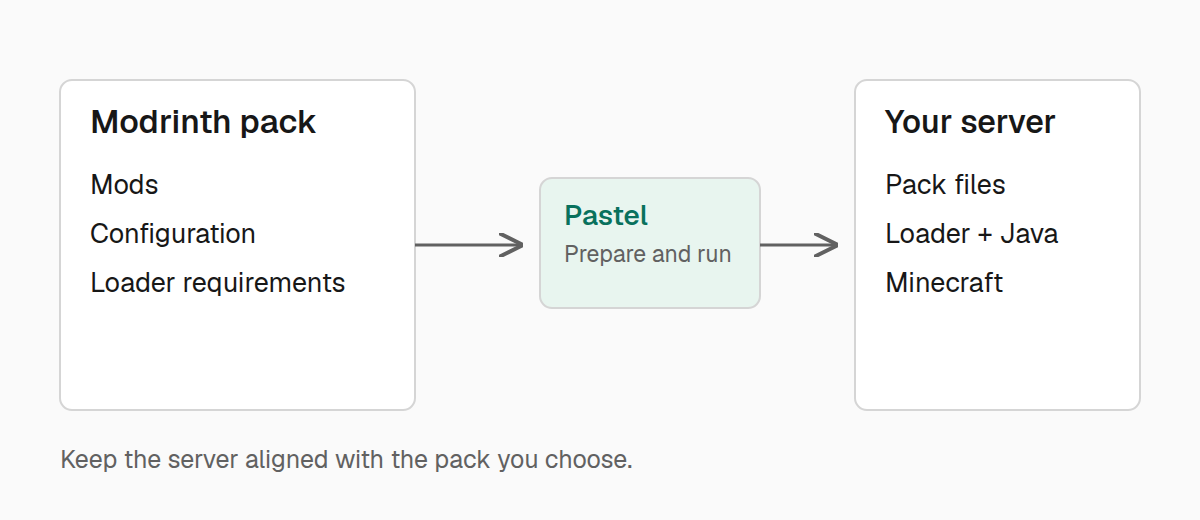
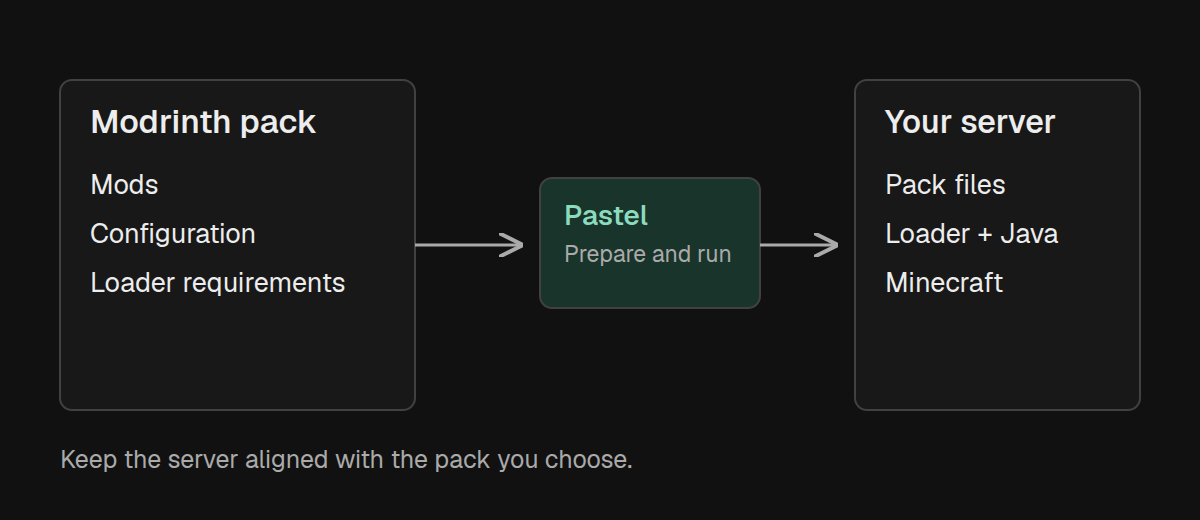
Pastel turns a Modrinth modpack into a managed dedicated server. It downloads and verifies server-side pack files, installs the required mod loader and Java runtime, starts Minecraft, and keeps the server aligned with the pack version you selected. Visit Pastel on kaf.sh for the short product overview.
Set up a server
Install a Modrinth pack from its slug, project page, .mrpack URL, local
archive, or Maven coordinate.
Operate it
Refresh files, preview updates, follow the live console, and stop the server gracefully.
Recover from crashes
Background servers restart after unexpected crashes, while clean shutdowns and startup failures remain stopped.
Manage Java
Pastel selects a suitable system Java or installs a checksum-verified Temurin runtime under the server directory.
Quick start
On Linux or macOS, open an empty server directory and install Pastel:
curl -fsSL https://kaf.sh/pastel/install.sh | shNow install and start the pack:
./pastel install aristea
./pastel run
./pastel console
install creates server.pastel and applies the pack. run starts a background
server, and console follows the live log while accepting Minecraft server
commands. On Windows, download the Windows archive
and use .\pastel.exe in PowerShell.
Minecraft EULA
Starting a Minecraft server with Pastel indicates that you agree to
Mojang's Minecraft EULA. Pastel writes
eula=true when it starts the server.
Platform support
| Platform | Install and refresh | Run | Background console |
|---|---|---|---|
| macOS | Yes | Yes | Yes |
| Linux | Yes | Yes | Yes |
| Windows | Yes | Yes | Yes |
Background servers, console commands, crash restarts, and graceful shutdown work
on all three platforms. Windows uses a named pipe for console input. Foreground
mode is available everywhere with pastel run -f.
These guides describe Pastel 0.1.7.