
Installation
Download Pastel and install a dedicated-server modpack.
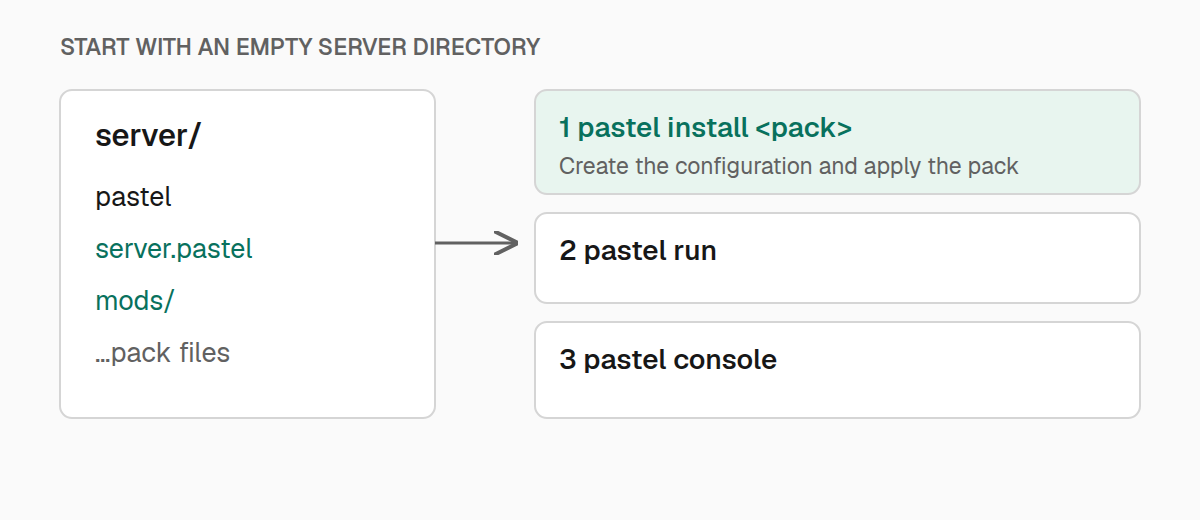
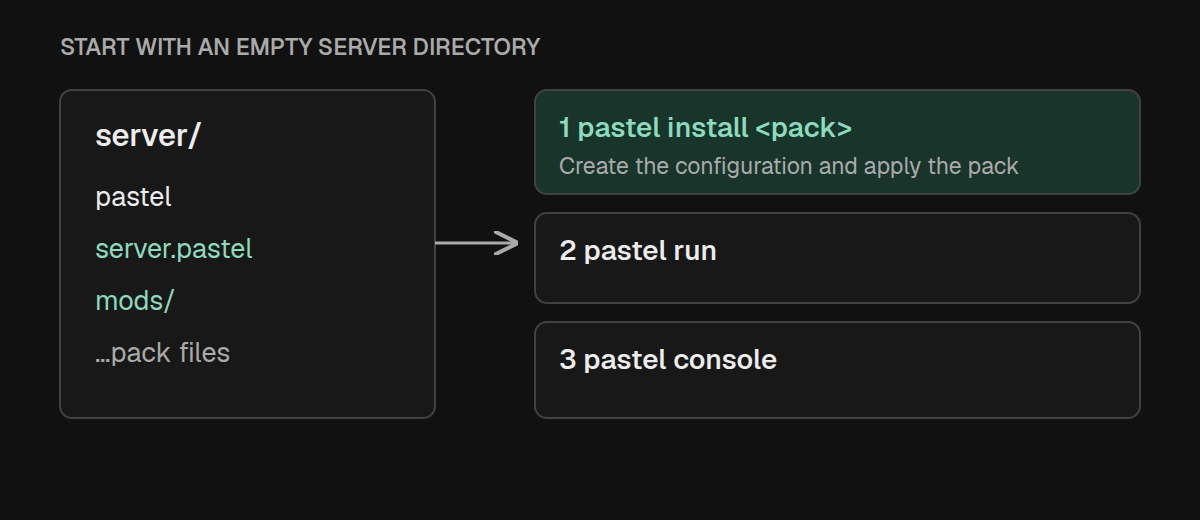
Start with an empty server directory. Install Pastel, choose a pack, and start the server.
Install Pastel
On Linux or macOS, open the empty directory that will hold the server and run:
curl -fsSL https://kaf.sh/pastel/install.sh | shThe installer detects the operating system and architecture, downloads the
matching release archive and SHA256SUMS, verifies the archive, and installs an
executable named pastel in the current directory. It requires curl, tar, awk,
and one of sha256sum, shasum, or openssl.
Set PASTEL_INSTALL_DIR to install into another directory:
curl -fsSL https://kaf.sh/pastel/install.sh | PASTEL_INSTALL_DIR=/srv/minecraft shSet PASTEL_VERSION to install a specific release instead of the latest:
curl -fsSL https://kaf.sh/pastel/install.sh | PASTEL_VERSION=0.1.7 shInstall manually
Download the archive for your system from the
latest Pastel release, then
extract it. Move pastel (or pastel.exe) from the archive's platform folder
into an empty server directory.
| System | Release archive |
|---|---|
| macOS, Apple silicon | pastel-darwin-arm64.tar.gz |
| macOS, Intel | pastel-darwin-amd64.tar.gz |
| Linux, x86-64 | pastel-linux-amd64.tar.gz |
| Linux, ARM64 | pastel-linux-arm64.tar.gz |
| Windows, x86-64 | pastel-windows-amd64.zip |
| Windows, ARM64 | pastel-windows-arm64.zip |
Every release includes SHA256SUMS; compare the archive's SHA-256 digest with
its entry before extracting it. On macOS or Linux, make the extracted binary
executable if necessary:
chmod +x pastelThe installer script does not support Windows yet. Download and extract the
appropriate Windows archive manually. In PowerShell, use .\pastel.exe in
place of ./pastel:
.\pastel.exe install aristea
.\pastel.exe run
.\pastel.exe console
Install a pack
Run install from the directory that should become the server:
./pastel install aristeaPastel accepts several pack references:
| Pack reference | Example |
|---|---|
| Latest Modrinth release | ./pastel install aristea |
| Specific Modrinth version | ./pastel install aristea@0.1.4 |
| Modrinth project page | ./pastel install https://modrinth.com/modpack/aristea |
Direct .mrpack URL | ./pastel install https://example.com/my-pack.mrpack |
Local .mrpack | ./pastel install ./my-pack.mrpack |
| Unpacked pack | ./pastel install ./my-pack |
| Maven coordinate | ./pastel install com.example:my-pack:1.2.0 -repo https://maven.example.com |
A Maven coordinate always needs an explicit repository. Pastel does not choose
a Maven host automatically. Pass several repositories as a comma-separated
list with -repo https://maven.example.com,https://backup.example.com. An unpacked
pack directory must contain modrinth.index.json.
Useful installation options include:
| Option | Purpose |
|---|---|
-memory 6G | Set the server's maximum Java heap. |
-dir ./server | Install into another directory. |
-version 1.2.0 | Select a Modrinth version number or version ID. |
-no-refresh | Write server.pastel without applying files to the server. |
-yes | Replace an existing configuration without prompting. |
Installing a bare Modrinth slug writes a versionless reference such as
modrinth:aristea. Later refreshes resolve the latest release again, so a normal
run can pick up a new pack version. Install aristea@0.1.4 or pass -version
to keep a specific version; update also writes a version-specific reference.
If a project has no release with an .mrpack, latest-version resolution falls
back to its newest available .mrpack.
Reinstalling replaces server.pastel with a newly generated configuration, so
keep any custom settings you want to reapply. Stop a running server before
reinstalling it. -no-refresh skips applying server files, but resolving a
Modrinth or Maven reference still requires network access.
What installation creates
Pastel writes a small server.pastel file, downloads the server-compatible pack
contents, applies its overrides, and prepares the declared loader. Managed state,
cached packs, and a downloaded Java runtime live under .pastel/.
Pastel chooses Java for the pack's Minecraft version when starting the server.
Forge and NeoForge installers also need Java during installation or refresh. If
a suitable runtime is unavailable, Pastel downloads Temurin into .pastel/jre/
and verifies its published SHA-256 checksum before installing it. See
Java selection for overrides and
version requirements.
Start the server
./pastel run
./pastel console
The first command starts a background server on macOS, Linux, or Windows. The second attaches to its live log and accepts server commands. See Server management for updates, restarts, and shutdown behavior.