
Pack authoring
Build a standard Modrinth pack that Pastel can run as a dedicated server.
Pastel consumes the standard Modrinth .mrpack format. A pack that accurately
describes its dedicated-server files does not need Pastel-specific metadata.
Archive structure
example-pack.mrpack
├── modrinth.index.json
├── overrides/
├── server-overrides/
└── client-overrides/
Use formatVersion: 1, game: "minecraft", a name, and a versionId. Set
dependencies.minecraft; a modded pack should also declare exactly one loader.
Each downloadable file needs at least one URL and supported hash. Pastel prefers SHA-512, followed by SHA-256
and SHA-1. When fileSize is greater than zero, the downloaded size must also match.
Paths must be clean, relative, slash-separated paths. Pastel rejects absolute paths, traversal components, backslashes, and ambiguous path components.
Dedicated-server files
Pastel installs a file unless env.server is unsupported.
env.server | Installed |
|---|---|
required | Yes |
optional | Yes; Pastel does not present a file picker. |
| Omitted | Yes |
unsupported | No |
Mark client-only mods as unsupported. A client-only jar marked required or optional commonly causes dedicated-server startup failures.
Overrides
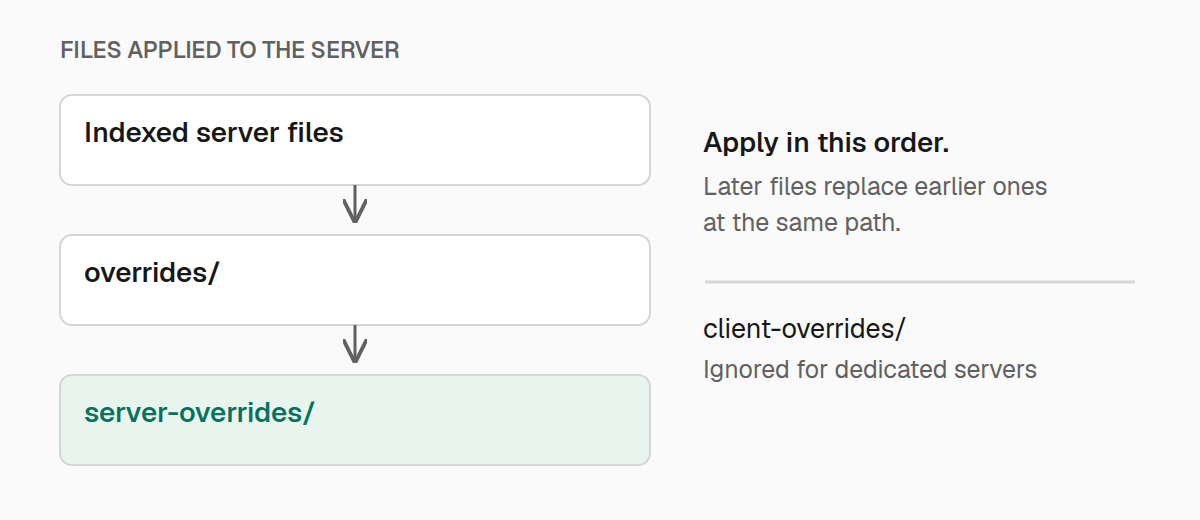
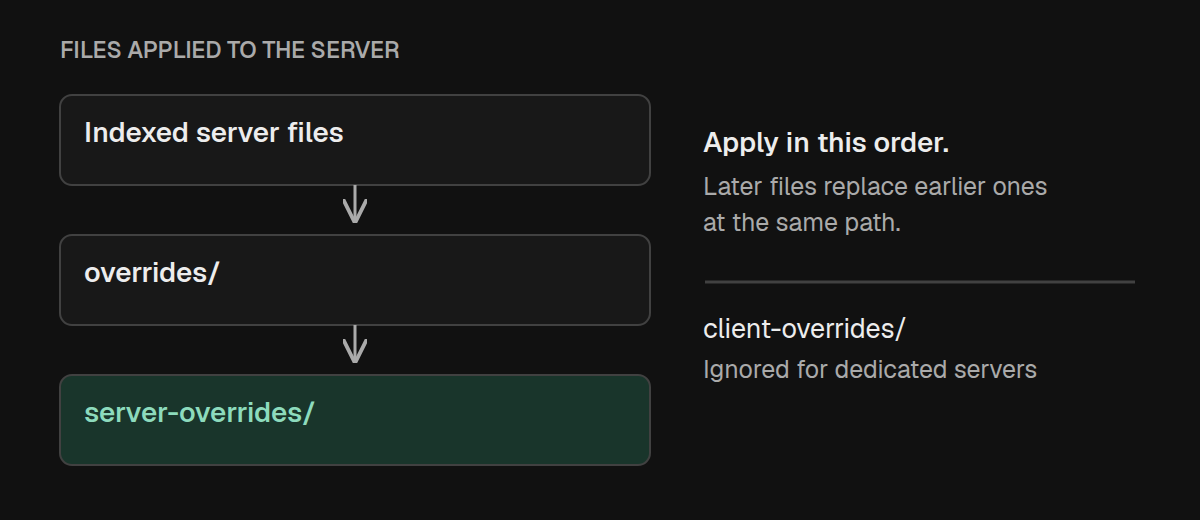
Pastel applies overrides/ first and server-overrides/ second. A server
override replaces a shared override at the same path. client-overrides/ is
ignored.
Jars embedded under either override layer's mods/ directory become part of the
managed mod set. Prefer normal indexed files when an artifact has a stable URL;
the index records its expected size and hashes without making the pack archive
larger.
Keep server data out of packs
Pastel refuses indexed files under world/, but does not apply that check to
overrides or custom world paths. Overrides replace existing files on refresh.
Keep worlds, secrets, operator lists, and other server-owner data out of them.
Loader support
| Loader | Pack dependency | Behavior |
|---|---|---|
| Fabric | fabric-loader | Downloads a launcher for the declared Minecraft and loader versions. |
| NeoForge | neoforge | Uses an existing server launch tree or runs the official installer. |
| Forge | forge | Uses an existing server launch tree or runs the official installer. |
| Quilt | quilt-loader | Requires a prepared server launch tree, such as quilt-server-launch.jar; automatic installation is not available. |
| Vanilla | None | Requires a pack-provided server.jar. |
For modded packs, declare minecraft alongside exactly one loader dependency.
Vanilla packs only need minecraft. For Forge, Pastel
combines a loader version without a Minecraft prefix with the declared Minecraft
version when resolving the installer artifact.
Forge and NeoForge use the generated unix_args.txt or win_args.txt plus
user_jvm_args.txt. In Pastel 0.1.7, an existing launch tree may be reused even
after changing the dependency version. Test loader and Minecraft upgrades in a
fresh server directory. Quilt and vanilla packs must include any libraries
needed by their supplied launcher, not just its jar.
Distribution
Server owners can install the same pack through:
- a Modrinth slug or project page;
- a direct HTTPS
.mrpackURL; - a local archive or unpacked directory; or
- a Maven coordinate and explicitly configured repository.
Maven distribution uses the normal
group/artifact/version/artifact-version.mrpack layout. Provide
maven-metadata.xml for latest-version resolution and interactive updates.
Pastel fetches .mrpack artifacts directly and does not require a POM. It does
not accept a JSON, jar, or .pastel fallback for a Maven pack. Match the index's
versionId to the Maven version so installed-version reporting and updates agree.
Author checklist
- Test the
.mrpackin a new, empty directory. - Mark every client-only file as unsupported on the server.
- Include strong hashes and accurate sizes.
- Test the exact Minecraft and loader pair declared by the index.
- Keep worlds, credentials, and server-owner data out of overrides.
- Preview changes with
pastel refresh -dry-run. - Stop the server before installing, refreshing, or updating a pack.